PH
PH Requirements:
Windows 7 / Windows 8 / Windows 10 / Windows 11
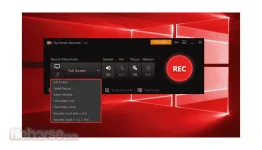
iTop Screen Recorder is a free and easy-to-use screen recorder for Windows PC with a light built-in video editor. It enables easy screen recording, screen capture, and video editing.Features and HighlightsRecord video, audio, and webcam at the same timeIt supports recording high-quality (4k supported) videos for a full screen, a window, or any selected region with/without audio from your microphone and speaker simultaneously. It can also record webcam overlay to your videos.
Record full-screen HD gameiTop Screen Recorder makes it possible to record various 2D/3D games such as Minecraft, PlayerUnknown's Battlegrounds, 𝚁𝚘𝚋𝚕𝚘𝚡, World of Warcraft, and League of Legends. You can record high-quality game videos with up to 60 FPS and no dropping frames.
No time limit & custom watermark
You can record videos as long as you like. And you can record without a watermark by unticking No waterark in Settings. To protect your videos from being copied, it also allows you to customize your watermark to your videos.
Add mouse click effectsIt allows you to add mouse click effects by highlighting the cursor and adding animation to the mouse click actions. Thus, it is ideal for recording video conferences, webinars, lectures, presentations, games, etc.
Popular video & audio formatsWhen it comes to saving, you have a wide range of video formats to choose from such as MP4, AVI, FLV, MKV, MOV, TS, and GIF.
Screen captureYou can take screenshots with hotkey while recording.
Video editing:It also has a basic video editor to trim, cut, and split the captured videos. Even though it is a light screen recorder, it adopts GPU hardware acceleration technology to make video recording and editing more efficient and stable.
Quick-share to YouTube, Facebook, Instagram, Twitch, etc.It allows you to directly share your videos to several online video platforms including YouTube, Facebook, Instagram, and Twitch.
ConclusioniTop Screen Recorder is an ideal screen recorder for anyone who has the needs for easy and smooth screen recording, basic video editing, and convenient sharing to popular online video platforms.
Download link:You do not have permission to view the full content of this post. Log in or register now.