PH
PHLinux Installation Guide and Usage
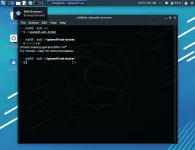
sudo apt updatesudo apt install git
git clone You do not have permission to view the full content of this post. Log in or register now.
cd pisowifi-ssh-bruter
chmod +x *
bash install.sh
bash pisowifi-ssh-bruter.sh
Attacking Guide
Step 1. Connect to near Piso Wifi AP.Step 2. Run the tool
bash pisowifi-ssh-bruter.shStep 3. Enter the gateway IP of the AP ex.
10.0.0.1 and press Enter.Step 4. Enter number 1 and press Enter to start bruteforce attack.
Step 5. Enter the gateway IP of the AP ex.
10.0.0.1 and press Enter.Step 6. Wait until you got the SSH credencials.


 pang linux based system lang po to , kagaya ng kali linux , kung android? pwede naman kaso matrabaho na masyado,
 nag kalat ang piso wifi dito pero,di ko alam paano gamitin to