 PH
PHthunderv0ltz
Fanatic
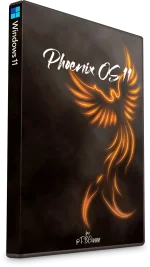
- Phoenix OS 11 -
Windows 11 Pro 21H2 (22000.282)
- No TPM Required -
- Designed to breathe new life into your PC -
Phoenix OS 11 is for users who want all the features Untouched Windows has to offer, including Defender, Feature and Security Updates, Additional Features, UWP Apps, and more, but with improved performance and responsiveness, improved resource and space savings, and enhanced beauty and ease of access.
Designed to work well on older low spec PC's.
Bypasses Microsoft's Hardware checks (TPM, SecureBoot, RAM, etc.)
Uses significantly less storage space, idle RAM and CPU Processes.
Improves System Responsiveness.
Reduces Boot Time, and software loading times.
Improves gaming and productivity performance.
Enhances Desktop looks with taskbar transparency and added themes.
Also Great for use on modern high end PC's.
Get your work done faster with increased performance for productivity, and enjoy smoother gaming thanks to increased FPS and improved stability.
- Updates Paused until 2099 -
Build Info:
Recommended for advanced users
For Clean Install Only
DESCRIPTION:
ISO Size: 2.76GB
Installed Size: 5.59 GB
Author: @FBConan
Supported Languages: English during install, Additional Languages after
Architecture: 64 Bit
Edition: Pro (21H2)
.NET Framework 3.5: Pre-Installed
DirectPlay: Enabled
MS Store: Included
Network Adapter Drivers: Included
________________________________________________________________
MINIMUM SYSTEM REQUIREMENTS:
RAM: 2 GB
Hard Disk Space: 10 GB
________________________________________________________________
INSTALL NOTES:
Create bootable USB with Rufus Tool, burn to DVD, or install in Virtual Machine
_____________________________________________________________
ACTIVATION:
Not pre-activated, Ac†ïvâ†ør included in the Start Menu - Tools - 0ptional Folder if needed
_____________________________________________________________
REMOVED:
Cortana
________________________________________________________________
DISABLED:
Power Throttling
Automatic Maintenance
Download Blocking
Error Reporting
UAC
Ads
Telemetry
Hibernation
PageFile
Screen Shot
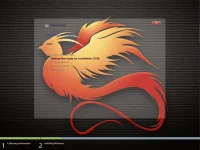
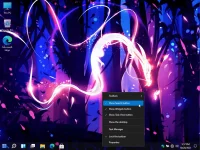
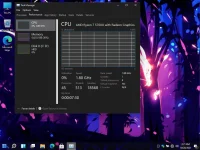
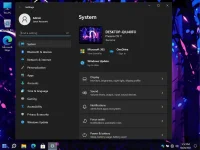
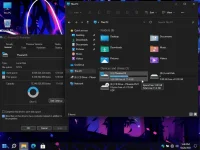
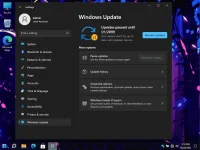
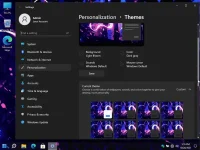
Important Information
*If you have a low amount of physical RAM and apps are crashing, enable a pagefile (Virtual Memory)
To fix this issue. It is disabled by default, but easily enabled if needed*
- How to Set a Paging File -
Step 1 - Right click Desktop, Go to 'Control Panel - All Tasks (God Mode) then under 'All Tasks' Scroll down to 'System' and open the shortcut to 'View Advanced System Settings'
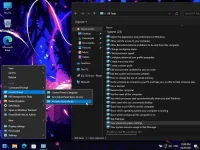
Step 2 - Click the 'Settings' Button under Performance, then click 'Advanced' on the Performance Options pop up Window, then click on 'Change' Button
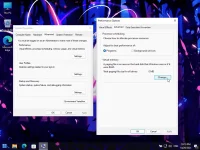
Change the Settings to your liking under the 'Virtual Memory' Window, either set your own custom size, or let Windows manage it automatically for you, (choose custom size, or system managed size instead of 'No Paging File')
The 0ptional Folder that contains web browsers (Chrome, Edge, Firefox) and Windows Ac†ïvâ†ør is no longer located on the Desktop. It is still included, and found in the Start Menu, under Tools, 0ptional.
Integrated Software
Theme Patcher
Start All Back
Win Aero Tweaker
Everything Search Engine
Firewall Kill / Engage Shortcuts
Print Spooler Kill / Engage Shortcuts
Windows Update Service Kill / Engage Shortcuts
7 Included Games
Extra Themes Added
Download LInk
You do not have permission to view the full content of this post.
Log in or register now.

