🔒 Closed How to Enable Dark mode on your Browser Even on Google Search

Status
Not open for further replies.

Hakdoger

Forum Guru

1. Go to your Browser(any browser like chrome, brave or firefox)
2. Type on search bar chrome://flags
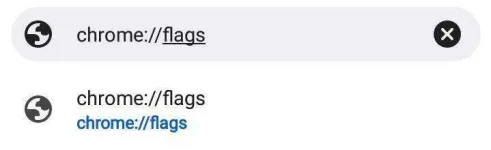
IMG_20211021_223448.jpg

3. On search bar type Dark
IMG_20211021_223508.jpg

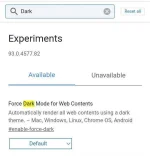
4. You will see the "Force Dark Mode for Web Contents". Click the "Default" then switch to "Enabled"
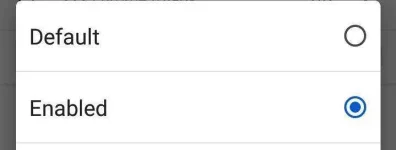
IMG_20211021_223529.jpg
5. Then Relaunch the Browser
6. And that's it! You successfully enable the dark mode!
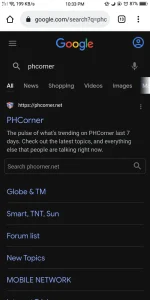
Screenshot_2021-10-21-22-33-54-50.pngScreenshot_2021-10-21-22-36-42-83.png
Screenshot_2021-10-21-22-55-27-48.webp
 
Status
Not open for further replies.

About this Thread

  • 9
    Replies
  • 734
    Views
  • 6
    Participants
Last reply from:
ERONMANGASENSEI

Online now

Members online
390
Guests online
1,989
Total visitors
2,379

Forum statistics

Threads
2,317,010
Posts
29,189,138
Members
1,182,201
Latest member
Jin woo
Back
Top