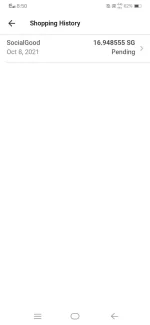
UPDATE!!! about sa withdrawal
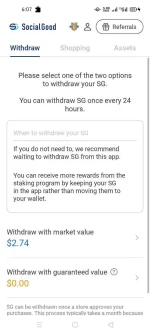
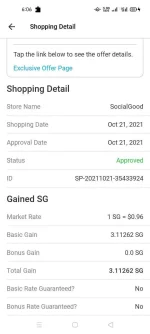
For SG that has the status of "Approved," you have the option to withdraw your SocialGood by either selecting “withdraw with market value” or “withdraw with guaranteed value” in the “Withdraw SG” menu and then going through all of the specified procedures. Some special offers or campaign tokens may not be able to be sold using the guaranteed value.
・If "withdraw with market value" is selected and you finish all of the procedures, then you can transfer your SG to your account on an affiliated cryptocurrency exchange.
・If "withdraw with guaranteed value" is selected and you finish all of the procedures, we will purchase your SG at a price guaranteed by us and transfer USDT to your account on the affiliated cryptocurrency exchange in the specified USD price.
To use the "Withdraw SG" function, you need to open an account on a partner exchange.
Currently, the following exchanges are affiliated with the SocialGood App.
・Uniswap
・BitMart
・P2PB2B
・Bittrex Global
When using the "Withdraw SG" feature, to "withdraw with market value" or to "withdraw with guaranteed value," please complete the following procedures:
1. Open the "Withdraw SG" menu from the SocialGood App, select the "withdraw with market value" or "withdraw with guaranteed value" button.
2. Enter the amount you want to sell in legal currency that has been specified into the [Withdrawal Amount (USD)] area. Below it, enter your ERC-20 Address.
3. The final confirmation screen will be displayed. If you'd like to continue then please select "Withdraw SG Now."
4. Now, you have started the "Withdraw SG" process. Please go to the exchange you are using to confirm that your SG has reached the exchange account you had specified successfully.
To see your history, view the "Menu" ⇒ "Market Value Sales History" or "Guaranteed Value Sales History"
*The SocialGood app provides this function by officially signing a contract with a partner exchange. In addition, the user login is performed on the server of the partner exchange, and personal information is not stored in the SocialGood App or in our server.
*In order to "Withdraw SG," it is necessary to specify an amount larger than the Minimum Selling Amount. For details, please check here (
You do not have permission to view the full content of this post.
Log in or register now.).
*Due to congestion on the Ethereum Network, it may take a long time to complete the "Sell SG" process or the "Sell SG" may fail. For details, please check here (
You do not have permission to view the full content of this post.
Log in or register now.).
*In order to move SG or USDT or any other cryptoassets you have exchanged your cryptoassets for to a partner exchange or to another exchange or wallet, an authentification process such as a KYC ("Know Your Customer") is required to be performed on the partner exchange at which you have received your SG or USDT to. For more information, please contact the partner exchange that you plan to use.
 PH
PH