🔒 Closed Patulong po dito sa ginagawa kong Website

Status
Not open for further replies.

klin

Eternal Poster
Gumagawa po ko ng Simple Website
nagiisip ako ng sarili kong web design para mag ipon ng mga finished projects
para rin po mas ma hasa at maimprove ko yung paggamit ng HTML & CSS

Pahelp naman po sana dito sa problem ko

1633699349114.png

1633699356299.png

Meron po kasing space yung baba pano po ba gagawin ko para masakto ko sya sa actual size lang na gusto ko
ganito po sana yung gusto kong size yung hindi na sscroll pababa

alam ko po nagegets poko ng mga web developers dito hehehehe salamt po sa tutulong
1633699388364.png
 
Patulong po ulit hehehe

ETO po yung Code HTML, CSS sana po masolve problem ko eheheh


HTML:
<!DOCTYPE html>
<html>

    <head>
        <meta charset="UTF-8">
        <title> Photos </title>
        <link rel="stylesheet" href="photos-style.css">
     
    </head>

    <body>
     
        <nav>
         
            <label class="name"> HANAP RESORT</label>
            <ul>
                <li><a style="background-color: white;" class="active" href="hanap-resort.html">Home</a></li>
                <li><a style="background-color: white;" href="photos.html">Photos</a></li>
                <li><a style="background-color: white;" href="a">Booking</a></li>
                <li><a style="background-color: white;" href="a">About</a></li>
             
            </ul>
        </nav>
 
        <img src="t1.jpg" class="first-pic">
        <img src="t6.jpg" class="second-pic">


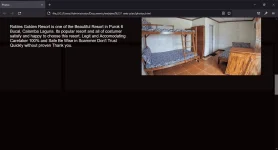
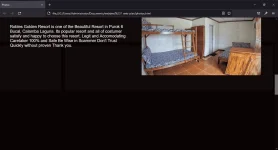
        <p class="txt1"> Robles Golden Resort is one of the Beautiful Resort in
            Purok 6 <br> Bucal, Calamba Laguna. Its popular resort and
            all of costumer <br>satisfy and happy to choose this resort.
            Legit and Accomodating <br>Caretaker 100% and Safe
            Be Wise in Scammer Don't Trust <br>Quickly without proven
            Thank you.
        </p>


        <h1 class="resort-name"> ROBLES GOLDEN RESORT </h1>

        <p class="txt2"> Robles Golden Resort is one of the Beautiful Resort in
            Purok 6 <br> Bucal, Calamba Laguna. Its popular resort and
            all of costumer <br>satisfy and happy to choose this resort.
            Legit and Accomodating <br>Caretaker 100% and Safe
            Be Wise in Scammer Don't Trust <br>Quickly without proven
            Thank you.
        </p>

        <h1 class="label-1"> 2nd Floor View </h1>

        <img src="t4.jpg" class="third-pic">

        <h1 class="label-2"> Pavillion & Tables </h1>

        <p class="txt3"> Robles Golden Resort is one of the Beautiful Resort in
            Purok 6 <br> Bucal, Calamba Laguna. Its popular resort and
            all of costumer <br>satisfy and happy to choose this resort.
            Legit and Accomodating <br>Caretaker 100% and Safe
            Be Wise in Scammer Don't Trust <br>Quickly without proven
            Thank you.
        </p>

        <img src="r2.jpg" class="last-pic">

        <p class="txt4" > Robles Golden Resort is one of the Beautiful Resort in
            Purok 6 <br> Bucal, Calamba Laguna. Its popular resort and
            all of costumer <br>satisfy and happy to choose this resort.
            Legit and Accomodating <br>Caretaker 100% and Safe
            Be Wise in Scammer Don't Trust <br>Quickly without proven
            Thank you.
        </p>
     

           <div class="box1"> </div>
           <div class="box2"> </div>
           <div class="box3"> </div>
           <div class="box4"> </div>
           <div class="box5"> </div>
           <div class="box6"> </div>
           <div class="box7"> </div>
           <div class="box8"> </div>
           <div class="box9"> </div>
           <div class="box10"> </div>
           <div class="box11"> </div>
           <div class="box12"> </div>
           <div class="box13"> </div>
           <div class="box14"> </div>
           <div class="box15"> </div>
           <div class="box16"> </div>
       
     
    </body>

</html>


CSS:
@import url('https://fonts.googleapis.com/css2?family=Raleway:wght@100&display=swap');
* {
    padding: 0;
    margin: 0;
    text-decoration: none;
    list-style: none;
    box-sizing: border-box;


}


body {
  
    background-color: #0A0303;


}

nav {
    background:#FFA200;
    height: 70px;
    width: 100%;

}
nav ul {
    float: right;
    margin-right: 20px;
    position: -webkit-sticky;
    position: sticky;
    top: 0;

}

label.name {
    font-family: 'Roboto', sans-serif;
    color: white;
    font-size: 25px;
    line-height: 70px;
    padding: 0 100px;


}


nav ul li {
    display: inline-block;
    line-height: 70px;
    margin: 0 57px;
    margin-left: 15px;
  

}

nav ul li a{
    color:black;
    font-size: 25px;
    font-family: 'Roboto', sans-serif;
    padding: 0px 20px;
    border-radius: 0px;
  
    text-transform: uppercase;
}

a.active,a:hover {
    background: black;
    transition: .5s;

}


.box1 {
    background-color: #FFFFFF;
    opacity: 3%;
    margin-top: 20px;
    height: 200px;
    width: 699px;
  
}

.box2 {
    background-color: #FFFFFF;
    opacity: 3%;
  
 
    height: 200px;
    width: 625px;

    position: relative;
    left: 720px;
    bottom: 200px;
  
}

.box3 {
    background-color: #FFFFFF;
    opacity: 3%;
  
 
    height: 220px;
    width: 200px;
 
    position: relative;
    left: 1149px;
    bottom: 180px;
}

.box4 {
    background-color: #FFFFFF;
    opacity: 3%;
    margin-top: 20px;
    height: 220px;
    width: 1125px;

    position: relative;
    bottom: 420px;
  
}
.box5 {
    background-color: #FFFFFF;
    opacity: 3%;
    margin-top: 20px;
    height: 220px;
    width: 699px;

    position: relative;
    bottom: 420px;
}

.box6 {
    background-color: #FFFFFF;
    opacity: 3%;
    margin-top: 20px;
    height: 220px;
    width: 628px;

    position: relative;
    left: 720px;
    bottom: 660px;
  
}

.box7 {
    background-color: #FFFFFF;
    opacity: 3%;
    margin-top: 20px;
    height: 220px;
    width: 849px;

    position: relative;
    left: 500px;
    bottom: 660px;
  
}

.box8 {
    background-color: #FFFFFF;
    opacity: 3%;
    margin-top: 20px;
    height: 220px;
    width: 975px;

    position: relative;
    right: 500px;
    bottom: 900px;
}

.box9 {
    background-color: #FFFFFF;
    opacity: 3%;
    margin-top: 20px;
    height: 220px;
    width: 1199px;

    position: relative;
    right: 500px;
    bottom: 900px;
}
.box10 {
    background-color: #FFFFFF;
    opacity: 3%;
    margin-top: 20px;
    margin-left: 125px;
    height: 220px;
    width: 620px;

    position: relative;
    left: 600px;
    bottom: 1138px;
}

.box11 {

    background-color: #FFFFFF;
    opacity: 3%;
    margin-top: 20px;
    margin-left: 245px;
    height: 220px;
    width: 303px;

    position: relative;
    left: 800px;
    bottom: 1138px;

}
.box12 {

    background-color: #FFFFFF;
    opacity: 3%;
    margin-top: 20px;
    margin-left: 125px;
    height: 220px;
    width: 720px;
  
    position: relative;
    right: 125px;
    bottom: 1138px;

}

.box13 {
    background-color: #FFFFFF;
    opacity: 3%;
    margin-top: 20px;
    height: 220px;
    width: 1520px;

    position: relative;
    right: 500px;
    bottom: 1620px;


}

.box14 {
    background-color: #FFFFFF;
    opacity: 3%;
    margin-top: 20px;
    height: 220px;
    width:608px;

    position: relative;
    left: 740px;
    bottom: 1620px;


}

.box15 {
    background-color: #FFFFFF;
    opacity: 3%;
    margin-top: 20px;
    height: 220px;
    width: 300px;

    position: relative;
 
    bottom: 1620px;


}
.box16 {
    background-color: #FFFFFF;
    opacity: 3%;
    margin-top: 20px;
    height: 220px;
    width: 300px;

    position: relative;
 
    bottom: 1620px;


}

.box16 {
     background-color: #FFFFFF;
    opacity: 3%;
    margin-top: 20px;
    height: 220px;
    width: 300px;

    position: relative;
 
    bottom: 1620px;


}
.box16 {
    background-color: #FFFFFF;
    opacity: 3%;
    margin-top: 20px;
    height: 220px;
    width: 1020px;

    position: relative;
    left: 320px;
    bottom: 1860px;

  
}

/* Picture only */

.first-pic {
    float: left;
    height: 390px;
    width: 586px;
  
    margin-left: 50px;
    margin-top: 50px;
}

.second-pic {
    float: left;
    height: 390px;
    width: 586px;

    margin-left: 85px;
    margin-top: 50px;

    position: relative;
    top: 460px;
  
}

.third-pic {
    float: left;
    opacity: 100%;
    height: 390px;
    width: 586px;

  
    margin-top: 50px;

    position: relative;
    top: 340px;
    right: 230px;
  
}


.last-pic {
    float: right;
    opacity: 100%;
    height: 390px;
    width: 586px;

    left: 500px;
    margin-top: 50px;

    position: relative;
    top: 350px;
  
  
}

.txt1 {
    float: left;
  
    color: white;
    position: relative;
    left: 700px;
    bottom: 250px;
    font-size: 20px;
    font-family: 'Roboto', sans-serif;
  
  
}

.txt2 {
    float: left;
  
    color: white;
    position: relative;
 
    top: 200px;
    right: 500px;
    bottom: 250px;
    font-size: 20px;
    font-family: 'Roboto', sans-serif;
}

.txt3 {
    float: right;
  
    color: white;
    position: relative;
  
    top: 100px;
    right: 100px;
    bottom: 250px;
    font-size: 20px;
    font-family: 'Roboto', sans-serif;
}

.txt4 {
    float: left;
  
    color: white;
    position: relative;
  
    top: 100px;
    left: 50px;
    bottom: 250px;
    font-size: 20px;
    font-family: 'Roboto', sans-serif;
}

.resort-name {
    float: left;
    position: relative;
    left: 180px;
    bottom: 300px;
    color: white;


}
.label-1 {
    font-size:40px ;
    color: white;
    float: left;
    position: relative;
    top: 30px;
    left: 200px;
    bottom: 300px;
  
}

.label-2 {
    font-size:40px ;
    color: white;
    float: left;
    position: relative;
    top: 488px;
    right: 50px;
    bottom: 300px;
  
}
 
Patulong po ulit hahaha

Na Stuck nako dito dinako makaalis tapos nato after to masolve
diko talaga alam pano maremove yung space sa baba haha pls help me

1634094049581.webp

Nasa Taas po yung Code HTML,CSS salamat poooo
 
pero ito ok na
salamat po sa overflow: hidden;

1634094173767.webp

Eto nalang ang problema ko dun sa isang link ko
may space yung baba
di pwede ang overflow: hidden; kasi hindi ma iiscroll hehe
last napo ito salamat po para makaalis nako dito


1634094244586.webp
 
yung Home, Photos, Booking, and About

Parang pwede mong gawin nalang siyang color White yung Font. Tanggalin yung white background color.

Para kung nasa Home siya lagyan mo ng Active na class. Para mag iba yung color ng font niya or lagyan ng underline para ma indicate lang kung nasa Home ba siya or ibang page.
 
Lagyan mo nito lods para maging responsive yung website mo.

HTML:
<meta content="width=device-width, initial-scale=1" name="viewport">
 
pwede mo subokan ito idol. Yong mga divs mo with classes box1 to box16 ipasok mo sa loob ng isang div (having class bg).
HTML:
<div class="bg">

    <div class="box1"> </div>
    <div class="box2"> </div>
    <div class="box3"> </div>
    <div class="box4"> </div>
    <div class="box5"> </div>
    <div class="box6"> </div>
    <div class="box7"> </div>
    <div class="box8"> </div>
    <div class="box9"> </div>
    <div class="box10"> </div>
    <div class="box11"> </div>
    <div class="box12"> </div>
    <div class="box13"> </div>
    <div class="box14"> </div>
    <div class="box15"> </div>
    <div class="box16"> </div>

</div>

then in your css file, pls idagdag mo ito
CSS:
.bg {
    height: 100vh;
}
 
lagay mo sa github para lalo ka namin matulungan. plus din na matuto kang gumamit ng Git kase nagiipon ka ng projects mo diba?
 
Status
Not open for further replies.

About this Thread

  • 15
    Replies
  • 1K
    Views
  • 11
    Participants
Last reply from:
frxlux

Trending Topics

Online now

Members online
1,134
Guests online
1,868
Total visitors
3,002

Forum statistics

Threads
2,332,476
Posts
29,265,488
Members
1,144,331
Latest member
alexjason
Back
Top