 PH
PH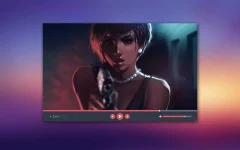
Skyfire VLC Skin
for VLC Media Player
Installation:
1. Extract .vlt file to VLC Skin folder
2. Start VLC
3. Go to preferences
4. In Interface check the custom skin option and select extracted .vlt file
5. Enjoy!
Size: 517.87 KB
You do not have permission to view the full content of this post. Log in or register now.
You do not have permission to view the full content of this post. Log in or register now.
More VLC skin here:
Shared by: Gson
 You do not have permission to view the full content of this post.
Log in or register now.
You do not have permission to view the full content of this post.
Log in or register now. drive.google.com
 Pwede ba natin isama dito sa thread yan?