PH
PHBLANK - Sora
Honorary Poster
Welcome. Share ko lang ito hehe.
Let's start!
So para san ba to? Para bumilis phone mo, tumagal malowbat, bumilis buffering sa youtube,battery calibration,boost at marami pang iba. (Note: Hindi sobrang bilis at hindi rin ganoon katagal ng battery ang madadagdag sa phone mo. Slight increase lang)
Requirements:
ROOT! (Pinakamahalaga)
BusyBox(Download mo sa Play Store)
Terminal Emulator(Play Store din)
Minimum of 5 MB Free Size sa SYSTEM.
Follow this Steps.
Use Root Explorer (such as ES FILE MANAGER)
1. Clean up init.d sa system/etc/init.d (Kung wala skip mo na to)
2. Click Install sa Busybox.
3. Download Attached File.
4. Rename mo yung dinownload mong file into PHC. (Without any extension o sa madaling salita burahin mo yung .txt )
)
5. Gamit ulit tayo ng Root Explorer. Go to system/bin/ at i-copy doon ang PHC file.
6. Open Terminal Emulator at i-type ito isa-isa.
"su
mount -o remount,rw /system
chmod 755 /system/bin/PHC" Without Quotes
7. (OPTIONAL: Clear Dalvik Cache and Cache in Recovery Mode)
8. Open Terminal Emulator at i-type ulit ito isa-isa
"su
PHC" Without Quotes
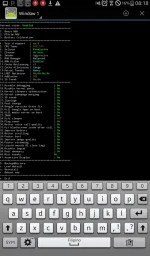
Mamili ka ng mode. Pano? Type the Number/Letter then Enter.
ENJOY.
PS: Wag i-activate ang fast reboot. Yun lang.
Originally created by Paget and XDADEVELOPERS.
Let's start!
So para san ba to? Para bumilis phone mo, tumagal malowbat, bumilis buffering sa youtube,battery calibration,boost at marami pang iba. (Note: Hindi sobrang bilis at hindi rin ganoon katagal ng battery ang madadagdag sa phone mo. Slight increase lang)
Requirements:
ROOT! (Pinakamahalaga)
BusyBox(Download mo sa Play Store)
Terminal Emulator(Play Store din)
Minimum of 5 MB Free Size sa SYSTEM.
Follow this Steps.
Use Root Explorer (such as ES FILE MANAGER)
1. Clean up init.d sa system/etc/init.d (Kung wala skip mo na to)
2. Click Install sa Busybox.
3. Download Attached File.
4. Rename mo yung dinownload mong file into PHC. (Without any extension o sa madaling salita burahin mo yung .txt
)5. Gamit ulit tayo ng Root Explorer. Go to system/bin/ at i-copy doon ang PHC file.
6. Open Terminal Emulator at i-type ito isa-isa.
"su
mount -o remount,rw /system
chmod 755 /system/bin/PHC" Without Quotes
7. (OPTIONAL: Clear Dalvik Cache and Cache in Recovery Mode)
8. Open Terminal Emulator at i-type ulit ito isa-isa
"su
PHC" Without Quotes
Mamili ka ng mode. Pano? Type the Number/Letter then Enter.
ENJOY.
PS: Wag i-activate ang fast reboot. Yun lang.
Originally created by Paget and XDADEVELOPERS.