 PH
PHtry mo palitan container mo ng ganito:
.container {
padding: 25px;
background-color: grey;
width: 300px;
margin: auto;
}
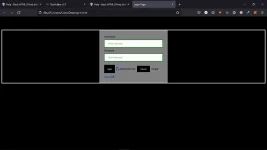
ganito lumabas eh
try mo palitan container mo ng ganito:
.container {
padding: 25px;
background-color: grey;
width: 300px;
margin: auto;
}
may bago akong sinend na code, copy mo yun boss
Maraming salamat sirView attachment 1638470
HTML:<!DOCTYPE html> <html> <head> <meta name="viewport" content="width=device-width, initial-scale=1"> <title> Login Page </title> <style> Body { font-family: Calibri, Helvetica, sans-serif; background-color: black; } button { background-color: #000000; color: white; padding: 15px; margin: 10px 0px; border: none; cursor: pointer; } form { } input[type=text], input[type=password] { width: 100%; margin: 8px 0; padding: 12px 20px; display: inline-block; border: 2px solid green; box-sizing: border-box; } button:hover { opacity: 0.7; } .cancelbtn { width: auto; padding: 10px 18px; margin: 10px 5px; } .container { width:400px; max-width: 100%; padding: 25px; background-color: grey; border: 3px solid #f1f1f1; margin-inline: auto; } .container > button:nth-child(6) { display: block; width: 100%; } </style> </head> <body> <center> <h1 style="color: white;"> Sino ka ba? </h1> </center> <form> <div class="container"> <label>Username : </label> <input type="text" placeholder="Enter Username" name="username" required> <label>Password : </label> <input type="password" placeholder="Enter Password" name="password" required> <input type="checkbox"> Show Password <button type="submit">Login</button> <input type="checkbox" checked="checked"> Remember me <button type="button" class="cancelbtn"> Cancel</button> Forgot <a href="#"> password? </a> </div> </form> </body> </html>
salamat ssobmay bago akong sinend na code, copy mo yun boss
salamat ssob
<!DOCTYPE html>
<html>
<head>
<meta name="viewport" content="width=device-width, initial-scale=1">
<title> Login Page </title>
<style>
Body {
  font-family: Calibri, Helvetica, sans-serif;
  background-color: black;
}
button {
       background-color: #000000;
       width: 100%;
        color: white;
        padding: 15px;
        margin: 10px 0px;
        border: none;
        cursor: pointer;
         }
 form {
        border: 3px solid #f1f1f1;
        width: 350px;
        margin: auto;
    }
 input[type=text], input[type=password] {
        width: 100%;
        margin: 8px 0;
        padding: 12px 20px;
        display: inline-block;
        border: 2px solid green;
        box-sizing: border-box;
    }
 button:hover {
        opacity: 0.7;
    }
  .cancelbtn {
        width: auto;
        padding: 10px 18px;
        margin: 10px 5px;
    }


 .container {
        padding: 25px;
        background-color: grey;
        width: 300px;
        margin: auto;
    }
</style>
</head>
<body>
    <h1 style="color: white; text-align: center;"> Sino ka ba? </h1>

    <form>
        <div class="container">
            <label>Username : </label>
            <input type="text" placeholder="Enter Username" name="username" required>
            <label>Password : </label>
            <input type="password" placeholder="Enter Password" name="password" required>
            <button type="submit">Login</button>
            <input type="checkbox" checked="checked"> Remember me
            <button type="button" class="cancelbtn"> Cancel</button>
            Forgot <a href="#"> password? </a>
        </div>
    </form>
</body>
</html>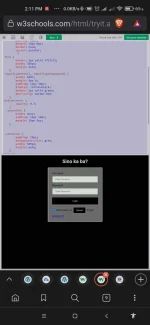
Last question sir kung gusto ko sya imove ng position alin ang babaguhin? sensya na dami tanong Psych student ako eh kanina ko lang sinubukan 'to HAHAHHAHTML:<!DOCTYPE html> <html> <head> <meta name="viewport" content="width=device-width, initial-scale=1"> <title> Login Page </title> <style> Body { font-family: Calibri, Helvetica, sans-serif; background-color: black; } button { background-color: #000000; width: 100%; color: white; padding: 15px; margin: 10px 0px; border: none; cursor: pointer; } form { border: 3px solid #f1f1f1; width: 350px; margin: auto; } input[type=text], input[type=password] { width: 100%; margin: 8px 0; padding: 12px 20px; display: inline-block; border: 2px solid green; box-sizing: border-box; } button:hover { opacity: 0.7; } .cancelbtn { width: auto; padding: 10px 18px; margin: 10px 5px; } .container { padding: 25px; background-color: grey; width: 300px; margin: auto; } </style> </head> <body> <h1 style="color: white; text-align: center;"> Sino ka ba? </h1> <form> <div class="container"> <label>Username : </label> <input type="text" placeholder="Enter Username" name="username" required> <label>Password : </label> <input type="password" placeholder="Enter Password" name="password" required> <button type="submit">Login</button> <input type="checkbox" checked="checked"> Remember me <button type="button" class="cancelbtn"> Cancel</button> Forgot <a href="#"> password? </a> </div> </form> </body> </html>
Output:
View attachment 1638811
margin bossLast question sir kung gusto ko sya imove ng position alin ang babaguhin? sensya na dami tanong Psych student ako eh kanina ko lang sinubukan 'to HAHAHHA
palitan mo yung margin: auto sa container class.Last question sir kung gusto ko sya imove ng position alin ang babaguhin? sensya na dami tanong Psych student ako eh kanina ko lang sinubukan 'to HAHAHHA
Thanks sir sa malaking tulongPede rin ganito:
More info:
- margin: 25px 50px 75px 100px;
- top margin is 25px
- right margin is 50px
- bottom margin is 75px
- left margin is 100px
You do not have permission to view the full content of this post. Log in or register now.
beginner palang yan hahaGamit ka ng bootstrap