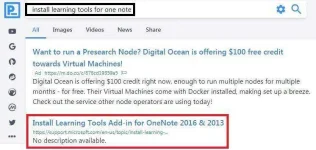
PH
PHconviction
Forum Guru
For aspiring vloggers or for educational purposes only
1. Microsoft Word
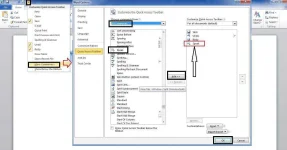
sample: Highlight words/sentences and click play
View attachment word.mp4
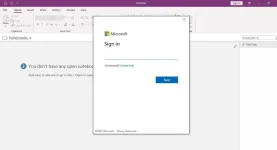
2. OneNote 2016 desktop app (windows 7, for win 10 pre-installed or download app in microsoft.com)
-same procedure as MS Word above for Speak button
Learning Tools add on (immersive reader)
a. search/download tool then install, restart PC if needed
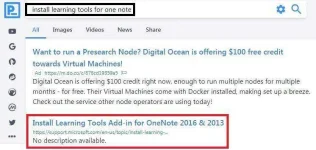
sample: Highlight words/sentences and click play, or use immersive reader in Learning tools
View attachment One.mp4
3. OneNote Online (access using your microsoft account or hotmail/live email)
-search onenote online
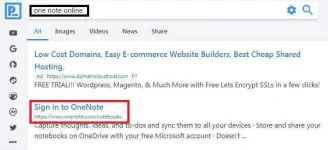
sample: click view and immersive reader
View attachment One _online.mp4
4. Microsoft Edge Browser
-save MS Word into PDF and right click PDF and open with MSE
-or download any PDF then open with MSE
-try nyo sa mobile kung pwede yung MSE browser
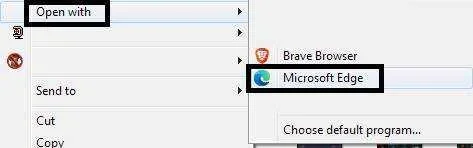
sample: right click and open PDF with MSE, click read aloud
View attachment Me.mp4
5. TTSFree.com/text-to-speech/ph (web based)
-paste text, select from TTS Server then convert
sample: type/paste any text, choose from servers, convert
View attachment Tts.mp4
others:
Balabolka (desktop app)
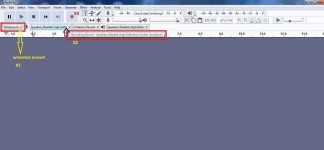
b. gamitan ng Audacity (free)
-set sa win wasapi at speakers (high def)loopback
-click Record (red dot)
-start mo na yung Word speak, immersive reader, read aloud
-then file, export as mp3 pag narecord mo
explore mga kaPHC
1. Microsoft Word
- drop down
- more commands
- all commands
- speak
- add
- ok
sample: Highlight words/sentences and click play
View attachment word.mp4
2. OneNote 2016 desktop app (windows 7, for win 10 pre-installed or download app in microsoft.com)
-same procedure as MS Word above for Speak button
Learning Tools add on (immersive reader)
a. search/download tool then install, restart PC if needed
sample: Highlight words/sentences and click play, or use immersive reader in Learning tools
View attachment One.mp4
3. OneNote Online (access using your microsoft account or hotmail/live email)
-search onenote online
sample: click view and immersive reader
View attachment One _online.mp4
4. Microsoft Edge Browser
-save MS Word into PDF and right click PDF and open with MSE
-or download any PDF then open with MSE
-try nyo sa mobile kung pwede yung MSE browser
sample: right click and open PDF with MSE, click read aloud
View attachment Me.mp4
5. TTSFree.com/text-to-speech/ph (web based)
-paste text, select from TTS Server then convert
sample: type/paste any text, choose from servers, convert
View attachment Tts.mp4
others:
Balabolka (desktop app)
Paano irecord yung Audio sa Word, OneNote, Microsoft Edge?
a. Built in sound recorder sa win 7, voice recorder sa Win10b. gamitan ng Audacity (free)
-set sa win wasapi at speakers (high def)loopback
-click Record (red dot)
-start mo na yung Word speak, immersive reader, read aloud
-then file, export as mp3 pag narecord mo
explore mga kaPHC