 PH
PHFor those na may problem when it comes to booting (ie sira yung storage or may sira sa BIOS),
here is a useful tool para po makagawa ng bootable drive in order to save your files.
Needed tools:
Get a flash drive 8GB/16GB up and pwede mareformat
Backup storage drive para macopy yung needed files
Working PC
Instructions:
Download v3ntoy and choose proper version na compatible sa pc.
(https:// www. ventoy. net/ en /download. html)
Download H!ren BootCD PE
You do not have permission to view the full content of this post. Log in or register now.. hirensbootcd .org/ download/
(click lang yung HBCD_PE_x64.iso sa ibaba to start download)
Plug the flash/thumb drive (again marereformat yung drive so be careful)
Extract if v3ntoy if zipped. Run V3ntoy2Disk exe
Make sure na yung indicated drive sa device option is yung gagamitin nating flash drive
GO TO OPTION AND THEN CLICK SECURE BOOT SUPPORT and make sure that its checked
Choose partition style if needed
Click install
Drag and drop (copy paste) HBCD_PE iso and youre ready to go!
Unplug your flash drive.
Plug it to the disabled PC and make sure na nakaboot priority.
Choose HBCD sa menu and wait.
Plug the backup storage drive.
Copy your needed files or anything you want to do.
[If secure boot prompts up sa pagboot (ie UEFI KEY MANAGEMENT)]
Press enter
Enroll key from disk
Choose VTOYEFI
Choose ENROLL_THIS_KEY_IN_MOKMANAGER
Press enter, choose yes and reboot
Its all OPEN SOURCE so dont worry and wag nalang sana ibenta in respect sa mga developers.
ITS A GOOD ALTERNATIVE din sa Rufus since drag and drop iso lang and youre good to go na agad.
Supports multiple isos din so pwede mo rin po lagyan ng mga limang OS iso para di hassle kapag magrreinstall
ng different type ng OS. Just make sure lang na may enough storage ka po.
(for FB guys, im the author of that post din so dont worry)
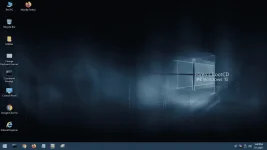
here is a useful tool para po makagawa ng bootable drive in order to save your files.
Needed tools:
Get a flash drive 8GB/16GB up and pwede mareformat
Backup storage drive para macopy yung needed files
Working PC
Instructions:
Download v3ntoy and choose proper version na compatible sa pc.
(https:// www. ventoy. net/ en /download. html)
Download H!ren BootCD PE
You do not have permission to view the full content of this post. Log in or register now.. hirensbootcd .org/ download/
(click lang yung HBCD_PE_x64.iso sa ibaba to start download)
Plug the flash/thumb drive (again marereformat yung drive so be careful)
Extract if v3ntoy if zipped. Run V3ntoy2Disk exe
Make sure na yung indicated drive sa device option is yung gagamitin nating flash drive
GO TO OPTION AND THEN CLICK SECURE BOOT SUPPORT and make sure that its checked
Choose partition style if needed
Click install
Drag and drop (copy paste) HBCD_PE iso and youre ready to go!
Unplug your flash drive.
Plug it to the disabled PC and make sure na nakaboot priority.
Choose HBCD sa menu and wait.
Plug the backup storage drive.
Copy your needed files or anything you want to do.
[If secure boot prompts up sa pagboot (ie UEFI KEY MANAGEMENT)]
Press enter
Enroll key from disk
Choose VTOYEFI
Choose ENROLL_THIS_KEY_IN_MOKMANAGER
Press enter, choose yes and reboot
Its all OPEN SOURCE so dont worry and wag nalang sana ibenta in respect sa mga developers.
ITS A GOOD ALTERNATIVE din sa Rufus since drag and drop iso lang and youre good to go na agad.
Supports multiple isos din so pwede mo rin po lagyan ng mga limang OS iso para di hassle kapag magrreinstall
ng different type ng OS. Just make sure lang na may enough storage ka po.
(for FB guys, im the author of that post din so dont worry)
