 PH
PHSkia Monarch
Elite
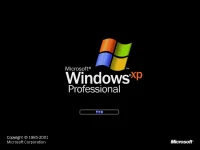
For years, the evolution of Microsoft Windows ran along two different tracks. First, there were the home versions: Windows 95, Windows 98, and Windows Me. These were the Windows for everyday individuals. They were compatible with just about everything on earth, including games of every description—but where stability was concerned, they weren’t what you’d call Rocks of Gibraltar.
Second, there were the corporate versions of Windows: Windows NT and Windows 2000. These versions of Windows rarely froze or crashed, and they featured industrial-strength security. However, they weren’t anywhere near as compatible as the home versions of Windows. If you tried to run the Barney the Dinosaur CD-ROM at work, for example, you were out of luck (if not out of a job).
The "XP" in Windows XP stands for eXPerience. Windows XP was made by integrating some of the best features of its predecessors such as security, manageability, reliability of You do not have permission to view the full content of this post. Log in or register now., plug & play, user friendly graphical user interface of You do not have permission to view the full content of this post. Log in or register now. that made a completely new Operating System. The noticeable feature of Windows XP is that it uses very less computer resources than higher version of Windows OS.
DIFFERENT VERSIONS OF WINDOWS XP
- Windows XP Starter
- Windows XP Home
- Windows XP Professional
- Windows XP Media Center Edition
- Windows XP 64-bit Edition
WHAT'S NEW IN WINDOWS XP – BEST FEATURES
Windows XP Operating system was introduced as an update to Windows 2000. Besides, it replaced Windows 95/98. Microsoft unveiled Windows XP with new features and benefits over its precursor. Some of the main features of Windows XP are listed below:Remote Desktop Windows XP professional OS enables user to use remote desktop connection feature means they can sit at a PC and access another PC remotely.
Device Driver Rollback: This new Windows XP feature let users uninstall installed device driver. If users install device driver that causes system instability then they can easily roll back the previous driver.
Built-in CD burner When Windows XP arrived, it came up with its own in-built CD burner feature. Now there is no longer need to install CD burning software, user can burn files directly via Windows Explorer.
Encrypted file system support muti-user: This feature is for Windows XP Professional, Encrypted file system make it possible to access encrypted files and folders by multiple users.
Device support improvement: Windows XP supports USB 2.0, Intel High Definition Audio based hardware, FireWire, & Windows Image Acquisition based scanners etc.
You do not have permission to view the full content of this post. Log in or register now.