PH
PHPHC_Taong-BATO
꧁ ⭐⭐🏆⭐⭐ ꧂ 🅰🅽🅶 🅰🅻🅰🅼🅰🆃 🅽🅶 🆂🅰🅶🅸🅽🅶
Welcome sa aking pagbabalik galing Limited Edition  ( pasaway ko kasi eh , haha " past is past -- natututo ang nagkakamali " )
dahil dyan, ito ang bwena-mano kong share.
-- may nakikita kasi ako before na nagbebenta nito, kaya ito libre. explore and may tutorial naman sa loob.
-Product Management
-Import Product List
-Stock Entry
-Stock Adjustment
-Maintenance
--VAT
--Discount
--System Details
--Backup and Restore
-Sales Summary and Report
-Sales and Profit Report
-Z-Reading
-Stock Inventory Report
-Critical Stock Report
-Top Selling Report
-Void History Report
-Stock Adjustment Report
-Stock In Report
-Sold Stock Report
-Log Trail Report
System Lock
-User Account
Cashier
-Support Barcode
-Support thermal printer
-Search Product
-Hold Sales
-View Cart
-Settle Payment
-Void
-x-reading
-change password
Start of day/ end of day
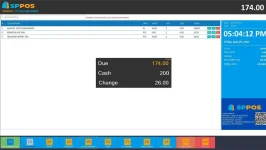
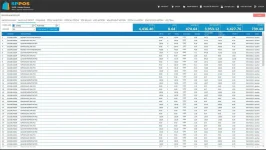
( pasaway ko kasi eh , haha " past is past -- natututo ang nagkakamali " )dahil dyan, ito ang bwena-mano kong share.
-- may nakikita kasi ako before na nagbebenta nito, kaya ito libre. explore and may tutorial naman sa loob.
POS with INVENTORY
BACK OFFICE-Product Management
-Import Product List
-Stock Entry
-Stock Adjustment
-Maintenance
--VAT
--Discount
--System Details
--Backup and Restore
-Sales Summary and Report
-Sales and Profit Report
-Z-Reading
-Stock Inventory Report
-Critical Stock Report
-Top Selling Report
-Void History Report
-Stock Adjustment Report
-Stock In Report
-Sold Stock Report
-Log Trail Report
System Lock
-User Account
Cashier
-Support Barcode
-Support thermal printer
-Search Product
-Hold Sales
-View Cart
-Settle Payment
-Void
-x-reading
-change password
Start of day/ end of day
Spoiler contents are visible only to Established Members.


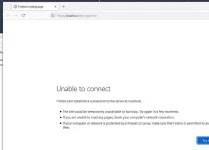
 ayaw mag online or mag green color?