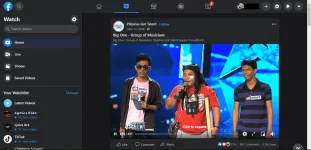
PH
PHStep 1: install a user script manager
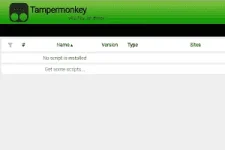
Tampermonkey on Chrome
To use Facebook Unsponsored script you need to first install a user script manager. Which user script manager you can use depends on which browser you use.
- Chrome: You do not have permission to view the full content of this post. Log in or register now. or You do not have permission to view the full content of this post. Log in or register now.
- Firefox: You do not have permission to view the full content of this post. Log in or register now., You do not have permission to view the full content of this post. Log in or register now., or You do not have permission to view the full content of this post. Log in or register now.
- Safari: You do not have permission to view the full content of this post. Log in or register now. or You do not have permission to view the full content of this post. Log in or register now.
- Microsoft Edge: You do not have permission to view the full content of this post. Log in or register now.
- Opera: You do not have permission to view the full content of this post. Log in or register now. or You do not have permission to view the full content of this post. Log in or register now.
- Maxthon: You do not have permission to view the full content of this post. Log in or register now.
- UC: You do not have permission to view the full content of this post. Log in or register now.
Step 2: install Facebook Unsponsored Script
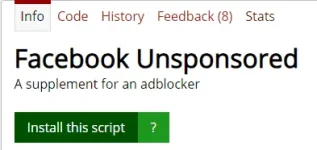
click the green install button on the user script's page, and your user script manager will ask you to confirm the install.
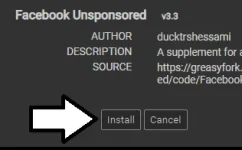
Step 3: use the user script
Go to the site the user script affects. It should automatically do its thing
User Script Link:
You do not have permission to view the full content of this post. Log in or register now.
You do not have permission to view the full content of this post. Log in or register now.