 PH
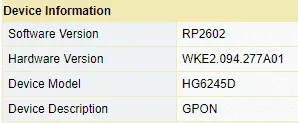
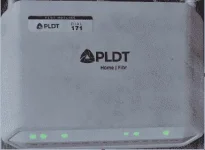
PHNote : This guide will work from this device information baka may kapareho sa akin or try nyo lang sa ibang software version kung gagana.
1. Una e type nyo lang ito sa browser na gamit nyo
2. Login using this credentials
Username : f~i!b@e#r$h%o^m*esuperadmin
Password : s(f)u_h+g|u
Usernames : adminpldt
Passwords : z6dUABtl270qRxt7a2uGTiw
[/CODE]

7. Finally it's done , makikita mo na ang mga wala sa normal log.in kagaya sa baba
Feedback makes us better
1. Una e type nyo lang ito sa browser na gamit nyo  192.168.1.1/fh
2. Login using this credentials 
Username : f~i!b@e#r$h%o^m*esuperadmin
Password : s(f)u_h+g|u
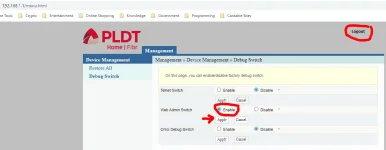
3. After makapasok , Enable Web Admin Switch then Apply then Logout
4. Login ulit using Super Admin credentials
Usernames : adminpldt
Passwords : z6dUABtl270qRxt7a2uGTiw
[/CODE]
5. Once successful kung first time mong makapasok , magpa update yan ng new password. Gawin nyo na lang para maka proceed.
6. If sakto yong paggawa mo ng password... ito ang lalabas dyan ..
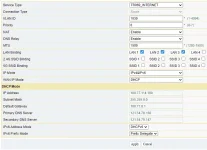
7. Finally it's done , makikita mo na ang mga wala sa normal log.in kagaya sa baba


 Support Lang ako

 , support lng master
