PH
PHPara sa lahat 
Guide:
1. Download nyo muna yung file nasa baba.
2. After madownload type sa taas ng navigation 192.168.254.254 then press enter
3. Inpunt nyo yung default access nya
4. Click Firewall sa Hime Page ng GLOBE AT HOME
5. Click Firewall backup den click browse hanapin nyo yung files na nadownload click nyo at den update
6. Log in ka ulit sa page ng Globe at Home after makapasok sa Home page click mo yung system settings click restore factory den wait nyo mag restart.
7. Pag nag on na ulit yung modem log in kau ulit kahit gamitin nyo na yung Username: admin den ang password: admin
8. Congrats mga lodi credit sa files ni boss EZWIL
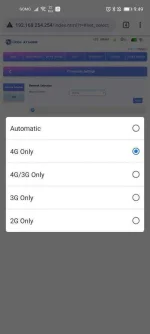
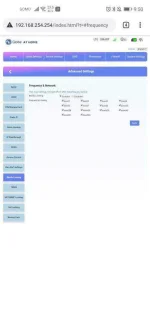
Note: Yung 2G at 3G hindi maaccess

Link files::
You do not have permission to view the full content of this post. Log in or register now.
Guide:
1. Download nyo muna yung file nasa baba.
2. After madownload type sa taas ng navigation 192.168.254.254 then press enter
3. Inpunt nyo yung default access nya
4. Click Firewall sa Hime Page ng GLOBE AT HOME
5. Click Firewall backup den click browse hanapin nyo yung files na nadownload click nyo at den update
6. Log in ka ulit sa page ng Globe at Home after makapasok sa Home page click mo yung system settings click restore factory den wait nyo mag restart.
7. Pag nag on na ulit yung modem log in kau ulit kahit gamitin nyo na yung Username: admin den ang password: admin
8. Congrats mga lodi credit sa files ni boss EZWIL
Note: Yung 2G at 3G hindi maaccess
Link files::
You do not have permission to view the full content of this post. Log in or register now.