PH
PHallen_malonzo_scammer
Enthusiast
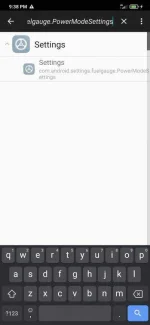
This can be done by using the Activity Launcher app in the Play Store. Click all activities located in the top panel and scroll down to settings, then scroll all the way down until you see:
Settings
com.android.settings.fuelgauge.PowerModeSettings
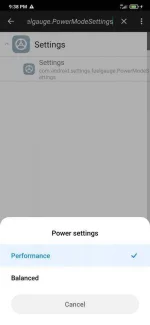
Hold it and you should be able to create a shortcut making it much easier to flip between Performance and Balanced.
Hope this helps