PH
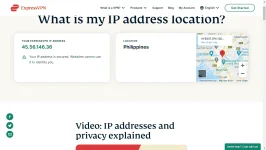
PHHi guys since maraming sa inyo yung nanghihinge ng activation code kay E×ρréššvpn.. Now here's an alternative method which you don't need activation codes anymore + No more Device Limit Reached Error PLUS DNS Leaking issue FIX
First:
Download and Install this app
You do not have permission to view the full content of this post. Log in or register now.
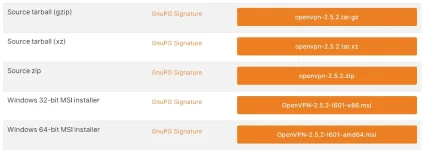
Second:
Download this ovpn config
You do not have permission to view the full content of this post. Log in or register now.
Third:
Import the ovpn config into the Openvpn GUI app and click connect
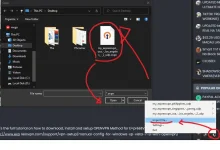
Fourth:
It will ask username and password so.. copy and paste this credentials
Here's the full tutorial on how to download, install and setup OPENVPN Method for E×ρréššvpn
You do not have permission to view the full content of this post. Log in or register now. ressvpn.com/support/vpn-setup/manual-config-for-windows-xp-vista-7-8-with-openvpn/
remove the space sa exp( )ress
Here's some screenshot as proof:
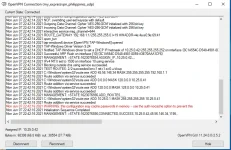
Connected with no problem
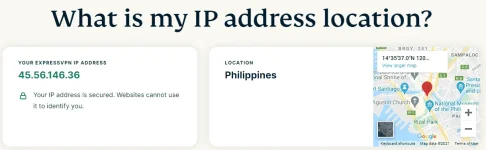
IP address is SECURED!
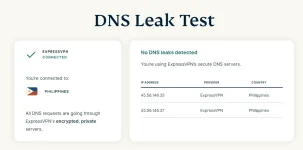
With Authentic E×ρréššvpn DNS server with no DNS LEAKING
Pa-feedback nalang hahaha Sensya na kasi di ako marunong gumawa ng Tutorial thread
Credits at shoutout kay moondhie sa binigay nyang activation key
P.S. this is not the account you gave me
Feedback:
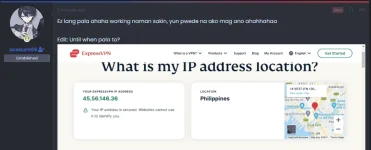
First:
Download and Install this app
You do not have permission to view the full content of this post. Log in or register now.
Second:
Download this ovpn config
You do not have permission to view the full content of this post. Log in or register now.
Third:
Import the ovpn config into the Openvpn GUI app and click connect
Fourth:
It will ask username and password so.. copy and paste this credentials
Spoiler contents are visible only to Established Members.
Here's the full tutorial on how to download, install and setup OPENVPN Method for E×ρréššvpn
You do not have permission to view the full content of this post. Log in or register now. ressvpn.com/support/vpn-setup/manual-config-for-windows-xp-vista-7-8-with-openvpn/
remove the space sa exp( )ress
Here's some screenshot as proof:
Connected with no problem
IP address is SECURED!
With Authentic E×ρréššvpn DNS server with no DNS LEAKING
Pa-feedback nalang hahaha
Sensya na kasi di ako marunong gumawa ng Tutorial thread Credits at shoutout kay moondhie sa binigay nyang activation key
P.S. this is not the account you gave me
Feedback:


 good luck