 PH
PHjoey the cockroach
Forum Master
*NOTE: Tested on DEBIAN and UBUNTU instances only.
EC2 :
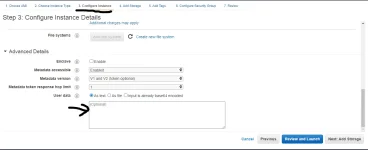
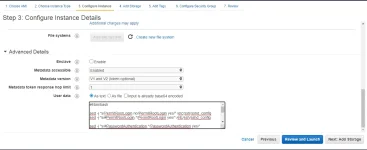
In the "Configure Instance" tab go to Advanced Details, then copy and paste these inside the box (see pictures below)
*NOTE: Change
Optional:
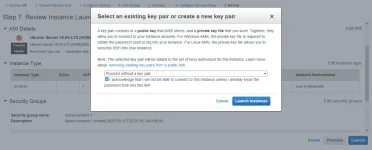
You can now choose to proceed without a key pair.
LIGHTSAIL:
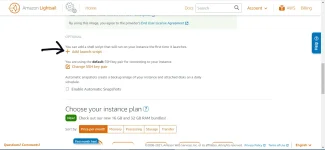
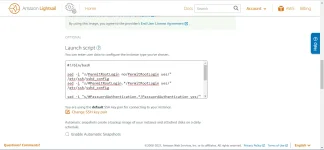
Click on "+ Add launch script", then paste the same script you used with EC2 above, then proceed to create.
EC2 :
In the "Configure Instance" tab go to Advanced Details, then copy and paste these inside the box (see pictures below)
Code:
#!/bin/bash

sed -i "s/PermitRootLogin no/PermitRootLogin yes/" /etc/ssh/sshd_config
sed -i "s/#PermitRootLogin.*/PermitRootLogin yes/" /etc/ssh/sshd_config

sed -i "s/#PasswordAuthentication.*/PasswordAuthentication yes/" /etc/ssh/sshd_config
sed -i "s/PasswordAuthentication no/PasswordAuthentication yes/" /etc/ssh/sshd_config

systemctl restart sshd

echo "root:youpasswordhere" | chpasswd
*NOTE: Change
yourpasswordhere with your desired passwordOptional:
You can now choose to proceed without a key pair.
LIGHTSAIL:
Click on "+ Add launch script", then paste the same script you used with EC2 above, then proceed to create.


 , May utang na Vül†r, malas pa sa aws
 Support ako senseiii
