 PH
PH3foxxzy-aeron
Enthusiast
Share kolang Tricks ko sa mga gusto din mag lagay nang malalaking games kaso kulang yung internal storage mo at may malaking memory card
Requirements
Magisk
SD Card 32gb or higher
Android
Link2SD
1. Download Link2SD
2. Open Link2SD
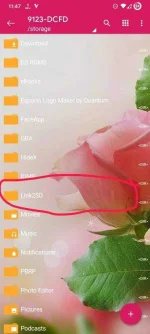
3. Gawa ka nang folder sa external storage mo Link2SD/Bind/Data and then OBB in File manager
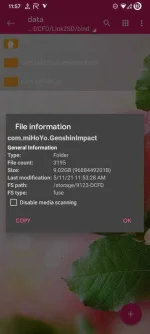
4. Gawa ka nang folder nang game na ilalagay mo both internal and external storage (Example: com.miHoYo.GenshinImpact)
in data or obb
5. Lagay mo yung Data file or obb nang game mo
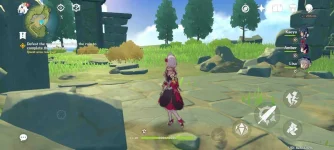
6. Open Mo Game na kinarga mo kung gagana siya
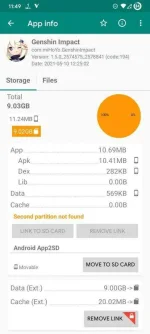
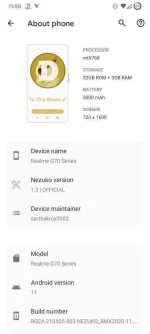
Screenshots para maniwala kayo
Device Used: realme c3
Extras: Install niyodin yung 3gb zram magisk module para di hang sa genshin impact





Requirements
Magisk
SD Card 32gb or higher
Android
Link2SD
1. Download Link2SD
2. Open Link2SD
3. Gawa ka nang folder sa external storage mo Link2SD/Bind/Data and then OBB in File manager
4. Gawa ka nang folder nang game na ilalagay mo both internal and external storage (Example: com.miHoYo.GenshinImpact)
in data or obb
5. Lagay mo yung Data file or obb nang game mo
6. Open Mo Game na kinarga mo kung gagana siya
Screenshots para maniwala kayo
Device Used: realme c3
Extras: Install niyodin yung 3gb zram magisk module para di hang sa genshin impact