 PH
PHFoxit PhantomPDF Business 10 Overview
Foxit PhantomPDF formerly known as Foxit Advanced PDF Editor is a comprehensive PDF solution that caters to the needs and requirements of businesses and personal users. It comes with an intuitive, user-friendly interface and an extensive set of advanced, PDF editing and security tools and applications. Its familiar interface makes adoption and implementation by users fast and seamless.With Foxit PhantomPDF, users of all types are provided with a full-featured PDF software that allows them to create, edit, comment, collaborate and share, secure, organize, export, scan, and sign PDF files and forms.
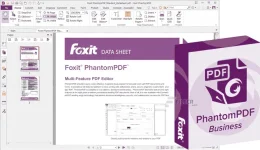
Foxit Advanced PDF Editor enables users to convert multiple file formats to PDF and vice versa. It can convert PDF files to Microsoft Word documents, Excel, and other popular document formats. The software also features multiple language support, making it an ideal PDF solution for businesses and individuals based in other countries.
Foxit PhantomPDF grants you total control over your content with its ConnectedPDF functionality. You can convert your regular PDF documents too ConnectedPDF in one step, create and manage multiple versions of that document, and track all activities pertaining to that document. That means you can monitor who opens your PDFs, when they opened it, and where. All actions they performed on the document are all recorded.
Integrations with Google Drive, Box, Dropbox, and OneDrive among others allow Foxit Advanced PDF Editor users to collaborate, share, and annotate with ease and speed. They can work on documents, provide feedback, and become more productive within the PhantomPDF environment.
Features of Foxit PhantomPDF Business 10
- Create, Edit, Manage, and Share PDF Documents
- Advanced Text Editing
- Advanced Object Editing
- Convert PDF to Microsoft Office and Vice versa
- Export PDF to Word and Other Formats
- Third Party Integration
- Scan and OCR
- PDF Signature
- Redaction
System Requirements and Technical Details
- Supported OS: Windows XP/7/8/8.1/10
- Processor: Pentium IV or higher
- RAM: 1 GB RAM (2 GB recommended)
- Free Hard Disk Space: 2 GB or more
© FileCr
You do not have permission to view the full content of this post. Log in or register now.
