 PH
PHASCOMP Image Former Pro 2.000
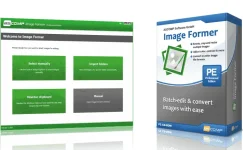

ASCOMP Image Former Pro (Repack & Portable) - will help you instantly bring your images to the perfect shape:
select any number of images, define actions and start converting. Whether you want to rotate images, crop edges, or fix colors, Image Former will automatically apply the changes you want to all selected images. The Windows tool also has full control over zooming in or out and converting image files to the desired format quickly and easily.
Speaking of format: Image Former changes the file format of your images on demand, such as JPEG, PNG, BMP, and GIF. Even PDF and PSD are available for both input and output.
Do you actively use the Windows clipboard? Then you will especially love Image Former monitoring! After starting monitoring, you can automatically import all the images that you copied to the clipboard into the program for further processing.
Features Repack ASCOMP Image Former Pro :
1. Combined installation of the program or unpacking of the portable (portable app format) version in one distribution kit
2. Does not require registration (retail)
3. Multilingual interface (including Russian)
4. Picks up an external settings file settings.reg (if located next to the installer)
System requirements: Windows 7/8 / 8.1 / 10

You do not have permission to view the full content of this post. Log in or register now.