PH
PHShow you some Tips&Tricks in order to get the best possible startup time on Windows 10.
Disable Startup Programs
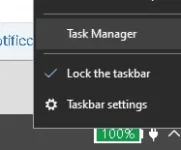
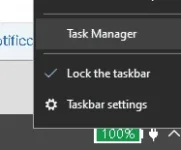
1. Right click int task bar, select Task Manager
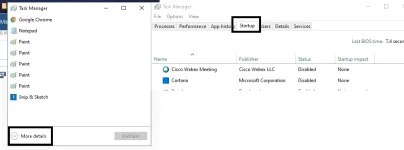
2. Click more details and click start-up
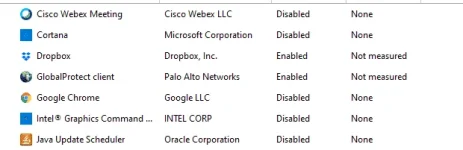
3. Disable program that have high impact

Enable Fast Startup
1. Type in search bar type "Control Panel" and open, look for "Hardware and Sound"
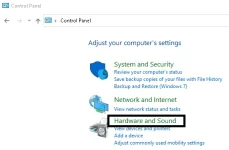
2. In Hardware and Sound Click "Power Option"
3. n left side select "Choose what the power buttons do"
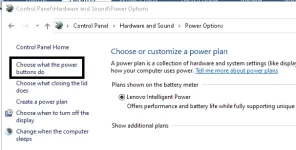
4. Select Change settings That are current unavailable
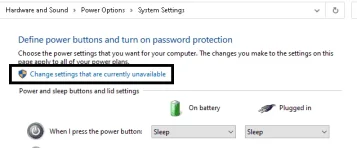
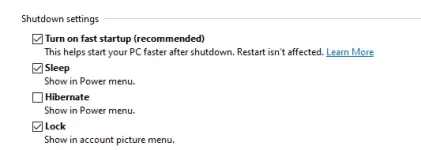
5. Enable Turn On fast Startup (recommended)
Disable Startup Programs
1. Right click int task bar, select Task Manager
2. Click more details and click start-up
3. Disable program that have high impact
Enable Fast Startup
1. Type in search bar type "Control Panel" and open, look for "Hardware and Sound"
2. In Hardware and Sound Click "Power Option"
3. n left side select "Choose what the power buttons do"
4. Select Change settings That are current unavailable
5. Enable Turn On fast Startup (recommended)