🔒 Closed How to Get Product Key Using CMD in Windwos 10

Status
Not open for further replies.

jaspher21

Journeyman
Paano kunin ang Product Key using CMD sundin lang ang simple step. dapat naka admin ka sa CMD para magawa ito

  1. Press Windows key + X.
  2. Click Command Prompt (Admin)
  3. At the command prompt, type: wmic path SoftwareLicensingService get OA3xOriginalProductKey.
  4. This will reveal the product key. Volume License Product Key Activation.
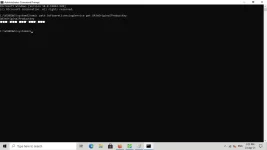
1619244554995.webp
 
Status
Not open for further replies.

About this Thread

  • 10
    Replies
  • 216
    Views
  • 11
    Participants
Last reply from:
ellednarb666

Trending Topics

Online now

Members online
1,125
Guests online
3,333
Total visitors
4,458

Forum statistics

Threads
2,348,375
Posts
29,358,530
Members
1,094,453
Latest member
jeddie123
Back
Top