PH
PHSorry guys di po ako magaling mag english 
Most common problem using a Ubuntu OS is the 'binding to port 80: Could not bind to IPv4 or IPv6'
So out of curiosity I found some answer in Github and Youtube
Again, This tutorial is not mine. I just want to share it to you to make us all happy and to overcome stress of port 80 mania
First Solution : Using 'ufw command'
This method is working to ubuntu 18 based on my experience, try it also to other versions
In your VPS type:
then type
to see the commands in installing ufw
type
next run
run
to see its status
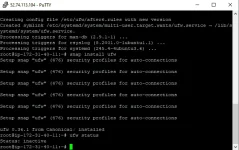
as you can see in the picture, it is inactive so we need to run
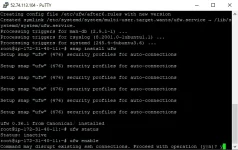
type
again to see if the ufw is enabled
If its enabled, now run the command
Next is
again to see if Port 80 is Open in both iPV4 and 6
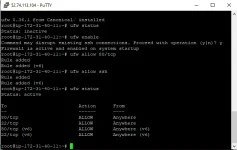
Lastly,
run
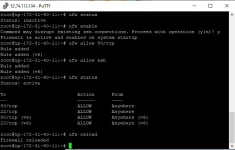
You can now test if it works [In my case, I need to generate cert from certbot and this works for me, again in my ubuntu18]
Second Solution: Using apache and docker proxy
Based on my experience, it works in my ubuntu 20
First run this command
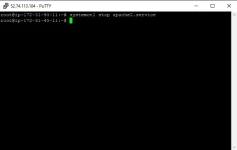
next run
to see the commands in installing docker
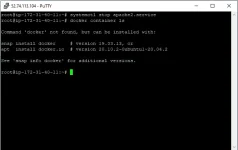
First we try to run
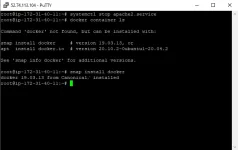
now let's try to run
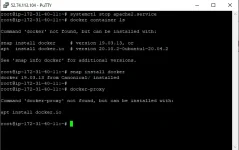
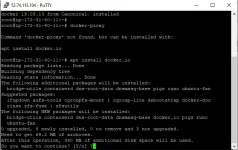
it say's not found so we need to run
Just press
Lastly, let's run again
if the system accepts it.
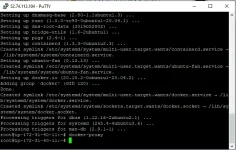
based on the picture above, we successfully run the dockery-proxy so we are now free to test if the problem is Fixed
And I hope it will really fix your problem in making Port 80 open
So in my ubuntu 20 I tried this in generating certificate using certbot
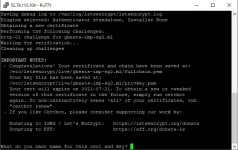
And it works!
I Hope this tutorial helps you in your Port 80 problem
You can also try this in other OS, if this also works, Congrats
So yun, Share ko lang po yan sakit ng ulo at ilong ko
Full credits to Github and YT
Most common problem using a Ubuntu OS is the 'binding to port 80: Could not bind to IPv4 or IPv6'
So out of curiosity I found some answer in Github and Youtube
Again, This tutorial is not mine. I just want to share it to you to make us all happy and to overcome stress of port 80 mania
First Solution : Using 'ufw command'
This method is working to ubuntu 18 based on my experience, try it also to other versions
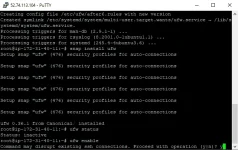
In your VPS type:
sudo -sthen type
ufwto see the commands in installing ufw
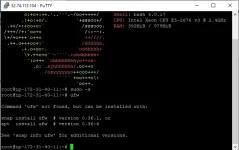
type
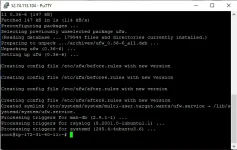
apt install ufwnext run
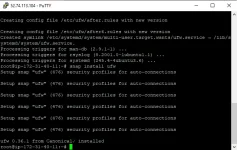
snap install ufwrun
ufw statusto see its status
as you can see in the picture, it is inactive so we need to run
ufw enabletype
Y to continueufw statusagain to see if the ufw is enabled
If its enabled, now run the command
ufw allow 80/tcpNext is
ufw allow sshufw statusagain to see if Port 80 is Open in both iPV4 and 6
Lastly,
run
ufw reloadYou can now test if it works [In my case, I need to generate cert from certbot and this works for me, again in my ubuntu18]
Second Solution: Using apache and docker proxy
Based on my experience, it works in my ubuntu 20
First run this command
systemctl stop apache2.service next run
docker container lsto see the commands in installing docker
First we try to run
snap install dockernow let's try to run
docker-proxy it say's not found so we need to run
install apt docker.ioJust press
Y to continueLastly, let's run again
docker-proxy if the system accepts it.
based on the picture above, we successfully run the dockery-proxy so we are now free to test if the problem is Fixed
And I hope it will really fix your problem in making Port 80 open
So in my ubuntu 20 I tried this in generating certificate using certbot
And it works!
I Hope this tutorial helps you in your Port 80 problem
You can also try this in other OS, if this also works, Congrats
So yun, Share ko lang po yan sakit ng ulo at ilong ko
Full credits to Github and YT