PH
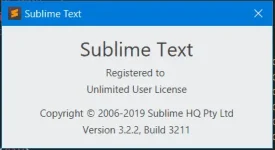
PHPermanent Sublime Text License 
1. Download & Install Sublime Text 3.2.2 Build 3211
2. Visit You do not have permission to view the full content of this post. Log in or register now.
3. Open file sublime_text.exe from C:\Program Files\Sublime Text 3 (Depends to your install location)
4. Go to 0x8545: Change 84 to 85
5. Go to 0x08FF19: Change 75 to EB
6. Go to 0x1932C7: Change 75 to 74
7. Save as sublime_text.exe file to Downloads folder or anywhere.
8. Rename sublime_text.exe on C:\Program Files\Sublime Text 3 (Depends to your install location) to sublime_text_old.exe
9. Copy modified sublime_text.exe from step 7 to C:\Program Files\Sublime Text 3 (Depends to your install location)
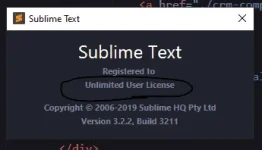
Happy Coding
1. Download & Install Sublime Text 3.2.2 Build 3211
2. Visit You do not have permission to view the full content of this post. Log in or register now.
3. Open file sublime_text.exe from C:\Program Files\Sublime Text 3 (Depends to your install location)
4. Go to 0x8545: Change 84 to 85
5. Go to 0x08FF19: Change 75 to EB
6. Go to 0x1932C7: Change 75 to 74
7. Save as sublime_text.exe file to Downloads folder or anywhere.
8. Rename sublime_text.exe on C:\Program Files\Sublime Text 3 (Depends to your install location) to sublime_text_old.exe
9. Copy modified sublime_text.exe from step 7 to C:\Program Files\Sublime Text 3 (Depends to your install location)
Happy Coding