 PH
PH
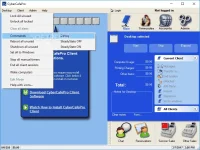
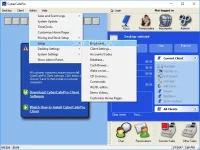
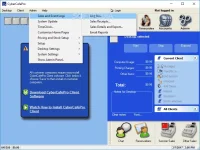
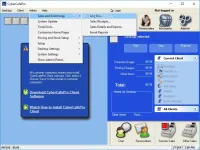
CyberCafePro is an advanced Windows application whose purpose is to help you manage your Internet café center by providing support for account management, pricing options, custom control features and comprehensive point of sale. It gives you the freedom to monitor up to 250 client computers. You can control all of them from the server station, provided that you have deployed the client version of the utility on all the target PCs.
Sa may mga computer shops po dyan sana po makatulong. Pasensya na po if wala pa po akong mailagay na updated.
Features:
- Windows 2000, XP, Vista, Windows 7, Windows 8 (32 & 64-bit) Compatible
- Multi-Lanaguage Capability
- Easy Setup Wizard
- Client Application Launch Pad
- 24/7 Online Reporting
- Auto-Updater (MCS & Clients)
- Auto-Connect of Clients to Server (Working LAN Required)
- Client Settings Import & Export
Employee Control Features...
- Employee Tracking (Anti-Theft)
- Employee Templates (Manager, Part-Time etc.)
- Employee Point-by-Point Permissions (Over 60 Options)
- Employee Permission Cloning
- Employee Time Clock
Pricing Setup...
- Pre-ρáíd Pricing Structures (Accounts & Timecodes)
- Full Customer Information Profiles (Accounts Only)
- No Charge Options (Telecentres & Schools)
- Single or Multiple Computer Pricing Groups
- Scheduled Pricing (Map pricing by day or hours)
- Discount Management
- Manual Timers (Xbox, Pool Tables, Laptops)
Full-Featured Point-of-Sale...
- Full-Featured Point-of-Sale (320 Buttons)
- Touch Screen Sized Point-of-Sale (POS) Item buttons
- Tax Set Up (Up to 3 different taxes)
- Local Currency (Any Windows Currency Symbol)
- Inventory System
- Customer Order System
- Table Tabs (Non-Computer Table Billing)
- Printer Monitoring
- Multiple Printer Pricing
- Bandwidth Monitoring
- Sales and Event Logs
- Data Exports (4 formats: xls, csv, xml, pdf)
- Automated Database Backups
- Computer Reservations System
- Cash Drawer Configuration
- Barcode Scanner Configurations (Accounts & POS)
Gaming Center Features...
- CD-Key Management
- Gaming Profile Management
- ESRB Rating Restrictions
- Customer Key Distribution
- WOL Network Card Compatible
- Touch Screen Friendly
- Receipt Printer Configuration
- Barcode Scanner Integration
- Scrolling Announcement Marquee
Customer Control & Communication Features ...
- Enable/Disable Internet Access
- Enable/Disable Windows Desktop
- Client End Sessions, Shutdowns, Reboots (from Server)
- Transfer Client Sessions
- Client Volume Controls (from Server)
- Server / Client Chat
DOWNLOAD HERE:
You do not have permission to view the full content of this post. Log in or register now.
You do not have permission to view the full content of this post. Log in or register now.


 thanks bossing, lakas mo talaga sa PC pc apps
  hahahaha