 PH
PHHi, this is my first time to post here because I reviewed the steps on how to be established and part of it is creating your own thread. I am not really good on this so forgive me if this is the only thing that I can post.
I have searched first to check if this was previously posted to make sure that it will make sense to everyone here in the forum.
Wise Care 365 Pro adopts the world’s top technology. It optimizes PC’s performance, defrags disks and Windows registry, and manages the startup process as well as services. It normally costs $39.95 for a 1-year license. But now, you can get Wise Care 365 Pro free key right here.
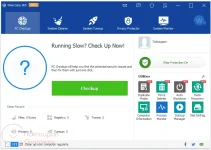
Why should you choose Wise Care 365 Pro?
Price: $67.46/ lifetime
Step 1: Download Wise Care 365 giveaway version
Direct Link:
You do not have permission to view the full content of this post. Log in or register now.
Step 2: And run the installer, and install it on your PC.
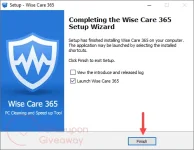
Note: It’s a custom build so you don’t need a license code to register the program.
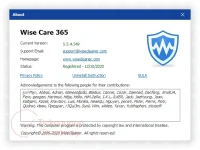
Step 3: Just enjoy the full features.
Note:
I have searched first to check if this was previously posted to make sure that it will make sense to everyone here in the forum.
Wise Care 365 Pro adopts the world’s top technology. It optimizes PC’s performance, defrags disks and Windows registry, and manages the startup process as well as services. It normally costs $39.95 for a 1-year license. But now, you can get Wise Care 365 Pro free key right here.
Why should you choose Wise Care 365 Pro?
- Full-fledged System Verification
- Registry and disk defragmentation
- Backing up and speed up your PC!
- Unlimited support and technical assistance
- Keeps clean your registry and removes unnecessary files
- Protect your privacy
- Automatic updates to new versions
Price: $67.46/ lifetime
How to get Wise Care 365 Pro FREE Key?
To get Wise Care 365 Pro for FREE, just follow these steps:Step 1: Download Wise Care 365 giveaway version
Direct Link:
You do not have permission to view the full content of this post. Log in or register now.
Step 2: And run the installer, and install it on your PC.
Note: It’s a custom build so you don’t need a license code to register the program.
Step 3: Just enjoy the full features.
Note:
- This is the lifetime license for current version
- No free update and tech support