 PH
PHMedia Player Classic - Home Cinema 1.9.10 / Black Edition 1.5.6.6000
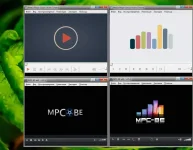

Media Player Classic (Repack & Portable) is a multifunctional multimedia player built on the basis of the Media Player Classic player and one of the best sets of codecs and ffdshow filters, which makes it possible to play many video and audio file formats without installing additional codecs.
Has a clear and not overloaded with unnecessary functions interface, Supported file formats: WAV, WMA, MP3, OGG, SND, AU, AIF, AIFC, AIFF, MIDI, MPEG, MPG, MP2, VOB, AC3, DTS, ASX, M3U, PLS , WAX, ASF, WM, WMA, WMV, AVI, CDA, JPEG, JPG, GIF, PNG, BMP, D2V, MP4, SWF, MOV, QT, FLV, MKV.
Key features of Media Player Classic (Repack & Portable):
• Play video and audio, including DVD.
• Hardware decoding H.264.
• Full subtitle support.
• Support for working with a second monitor (TV).
• Work with formats QuickTime and RealVideo.
• Multilingual interface.
• Support for EVR (Enhanced Video Renderer).
• Playback and recording from TV (Supported TV card required).
• OSD (On Screen Display).
• Supports Shuttle PN31 remote control.
• Pixel shader for converting BT601 • BT701.
• Pixel shader YV12 Chroma Upsampling.
• All functions of Guliverkli MPC Project by Gabest.
Features of the repack (for the Home Cinema version / for the Black Edition it is mostly identical /):
1. Combined installation of the program or unpacking of the portable version in one distribution kit
The portable version is available in two versions:
1) from the developers (unpacking is possible according to the system bitness or both bit depths)
2) version of the PortableApps * format (associated with supported file types AT THE TIME of launch)
2. Optional with supported file types: audio, playlists, video (separate choice)
3. Ability to create a shortcut in the Send menu (for installation)
4. Multilingual interface (including Russian)
5. Ability to install alternative icon libraries: Black Edition or xpAlto (see screenshots)
6. Added plugin youtube-dl for playing videos from YouTube and other services
7. Ability to install alternative toolbars (+ launch logo) **: Mandarin or Simple (see screenshots)
8. Possibility of picking up and auto-copying the custom file of the mpc-hc.ini program settings (for portable)
or importing settings.reg into the registry to install
9. Ability to pick up and autocopy custom files toolbar.png (toolbar), logo.png (logo),
mpciconlib.dll (icon library)

You do not have permission to view the full content of this post. Log in or register now.

 as always!.. more, new apps coming soon...