PH
PHNetwork Scanner 21.02
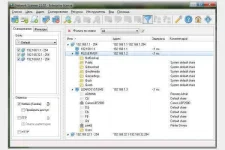

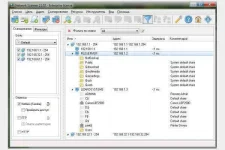
Network Scanner (Repack & Portable) is an IP scanner that is used to scan both large corporate networks with hundreds of thousands of computers and small home networks with several computers. The network scanner will show you all shared resources including system and hidden NetBIOS (Samba) shared resources as well as FTP and web resources.
To audit network computers or use it to find available network resources, both network administrators and regular users can use a network scanner.
The main features of the program:
• Ease of use. Even an inexperienced user will be able to scan the network in just a few clicks.
• Good performance. The program uses multithreaded scanning. Network scan speed
reaches thousands of computers per minute.
• Scalability. You can scan multiple computers or entire subnets.
• Flexible filtering options. You can filter the results by resource type or access rights.
• Configurable check of the state of computers. The program checks if the computer is turned on / off not only
using ping, but also when connecting to user-specified ports.
• Obtaining NetBIOS or domain name of the computer (specified by the user).
• You will see all available computer resources. Not only getting NetBIOS resources, but also FTP scanning
and web servers.
• Audit of network resources. The program will check the access rights to resources (read / write) as for the current user,
and for any specified.
• Available to all users. No administrator rights are required for scanning.
• Export of scan results. You can export them to html, txt or xml.
Features Repack Network Scanner :
1. Combined installation of the program or unpacking of the portable (portable app format) version in one distribution kit
2. Does not require registration (ρá†ch pawel97)
3. Multilingual interface (including Russian)
4. Possibility of picking up and auto-copying a custom program settings file options.xmlions.xml

You do not have permission to view the full content of this post. Log in or register now.