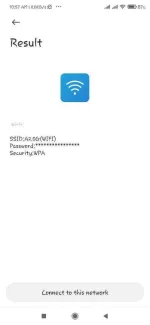
PH
PHSo ayun guys, di ko alam kung may nakadiskubre na pero sheshare ko pa rin sainyo haha.
Trick kung paano mashare ang password using qrcode sa wifi settings. Ginawa ko 'to kasi eto yung ginamit ko para makaconnect yung kaibigan ko, e wala siyang qrcode scanner tsaka kailangan din niya agad agad.
Requirements:
Android phone (na may tap to share password pero qrcode lang)
Mga pabigat na magpapabagal ng wifi haha
Steps:
1. Makikiconnect yung may android phone (na may share wifi password pero qrcode lang)
2. Click tap to share password then screenshot yung qrcode
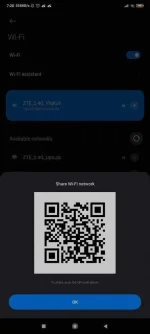
3. Open You do not have permission to view the full content of this post. Log in or register now. tapos upload yung screenshot file
4. Magic!
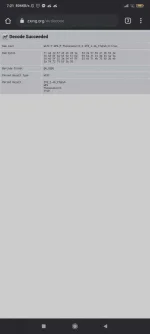
Happy password sharing mga ka-PHC!
Trick kung paano mashare ang password using qrcode sa wifi settings. Ginawa ko 'to kasi eto yung ginamit ko para makaconnect yung kaibigan ko, e wala siyang qrcode scanner tsaka kailangan din niya agad agad.
Requirements:
Android phone (na may tap to share password pero qrcode lang)
Mga pabigat na magpapabagal ng wifi haha
Steps:
1. Makikiconnect yung may android phone (na may share wifi password pero qrcode lang)
2. Click tap to share password then screenshot yung qrcode
3. Open You do not have permission to view the full content of this post. Log in or register now. tapos upload yung screenshot file
4. Magic!
Happy password sharing mga ka-PHC!


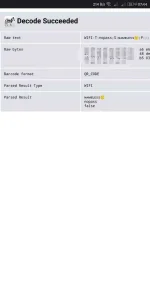
 Keep sharing ts.