👨‍🏫 Tutorial TTV

Aside from Local Channels, what types of TV genres would you like to see?

  • Movies

  • Kids

  • News

  • General Entertainment

  • Foreign


Results are only viewable after voting.
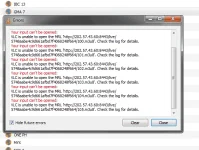
bakit ganito saken sa VLC

kodi.png


edit: hindi pala talaga pwede sa no load kahit anong pilit ko ayaw talaga :(:(:(
 
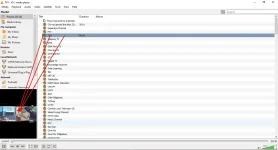
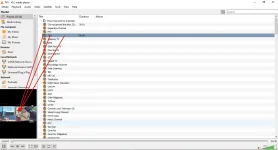
Toggle Playlist mo muna

chlist01.webp


Then mag select ka ng Channel (Double Click on Channel or Click on Channel and Double Click on Channel Preview)
chlist02.webp
 
[XX='hi2u, c: 931833, m: 248632'][/XX]
this is what i did. no need to update the link everyday o whenever it the link is changed
but you need to update the file from time to time to make sure updated and stream links.
 
[XX='wizard25, c: 932169, m: 942040'][/XX]

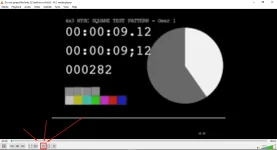
Diba napagana mo na yung link? Para masave mo sya as m3u
habang nag play,
• Press CTRL+Y
• Set File Type as .M3U or .M3U8
• Select mo Directory kung saan mo siya gusto i-save

Kapag na save mo sa M3U File sa Directory na Gusto mo. At Gusto mo Play anytime sa VLC
• Kung hindi naka default player ang VLC sa Pag Play ng M3U/M3U8 File.
  • Right Click mo sa M3U/M3U8 File > Properties
  • Under General Tap mo Change sa Open With. Set mo VLC Player

• Kung gusto mo may Shortcut sa Desktop nung Playlist mula sa directory ng Live TV ng M3U/M3U8 File
  • Right Click mo sa M3U/M3U8 File > Create Shortcut
  • Lagay mo sa Desktop
  • Kung Gusto mo Lagyan ng Custom Icon. Right Click mo sa M3U/M3U8 File > Properties > Shortcut Tab > Select your preferred Icon (.ico File).

Para ma Open yung M3U/M3U8 File or yung M3U/M3U8 File Shortcut
• Double Click mo lang yung M3U/M3U8 File or yung M3U/M3U8 File Shortcut

Para sa maka pili ng Channel List.
• Click mo "Toggle Playlist"
• Then double-click preferred Channel

chlist01.png


Para maka lipat ng Channel
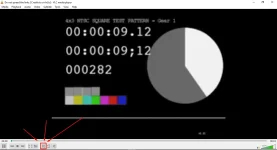
• Click mo lang "Stop"
• Then pili ka ng ibang Channel

chlist02.png
 

About this Thread

  • 13K
    Replies
  • 328K
    Views
  • 2K
    Participants
Last reply from:
MajinReiken

Online now

Members online
537
Guests online
1,418
Total visitors
1,955

Forum statistics

Threads
2,286,439
Posts
29,037,765
Members
1,217,951
Latest member
lolpops
Back
Top