PH
PHAgain, tutorial po ito para sa mga beginner na tulad ko. I don't have a degree kaya wala akong alam sa mga malalim na terminology, coding or anything like that.
https://phcorner.org/threads/easy-way-to-create-free-website-free-domain-and-hosting.1042377/
https://phcorner.org/threads/create...-custom-domain-from-freenom-part-1-2.1044070/
Having a green padlock (Green Bar) has become a mark of trust for websites. Totoo naman, auto exit ako minsan kapag NOT SECURE yung website. So yun, If gumamit ka ng PROFREEHOST, you can see na NOT SECURE yung nakalagay.
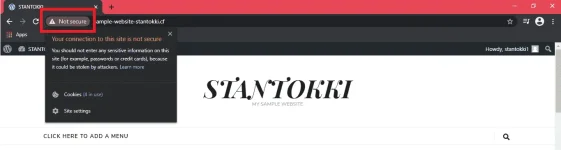
Parang ganto.
(If you already have an account, just skip this process.)
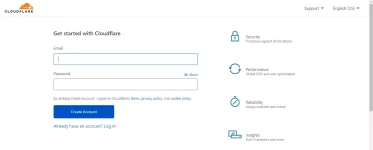
Don't ADD SITE yet. Verify your email first.
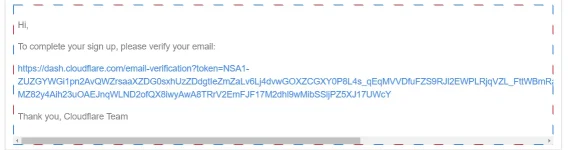
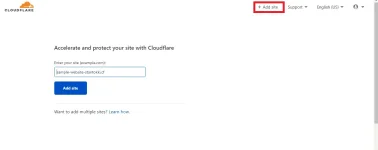
Then ADD ur site.
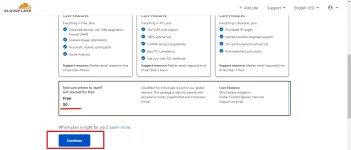
Select the FREE one then CONTINUE.
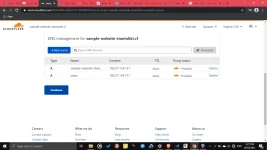
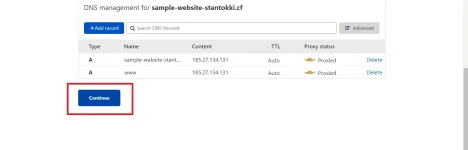
After clicking CONTINUE, cloudflare will review your DNS RECORDS.
Scroll Down and click CONTINUE.
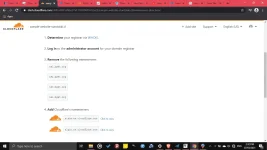
We need to change NAMESERVERS.
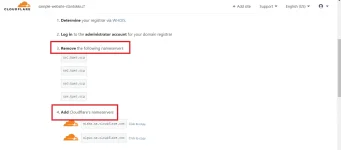
Go to your Go to your DOMAIN PROVIDER, on my case I used FREENOM. You need to LOG IN in order to change the NAMESERVER.
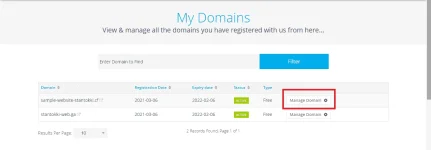
Click MANAGE DOMAIN - MANAGEMENT TOOLS - NAMESERVERS
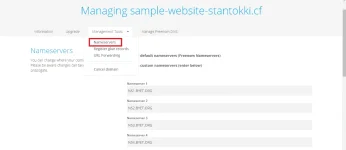
REMOVE the NAMESERVER from PROFREEHOST then CHANGE it based on NAMESERVERS given by CLOUDFLARE.
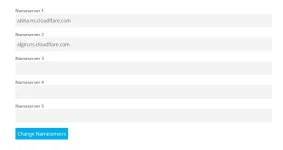
It will show something like CHANGED SAVED SUCCESFULLY!
Go to YOUR WORDPRESS DASHBOARD.
How to GO TO YOUR WP DASHBOARD? Add /wp-admin on your domain.

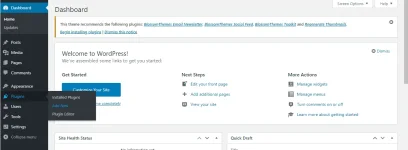
PLUGINS then select ADD NEW.
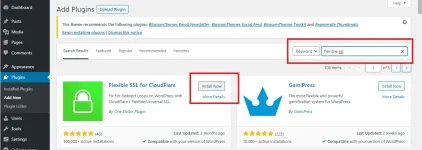
Search for FLEXIBLE SSL, click INSTALL NOW, then ACTIVATE.
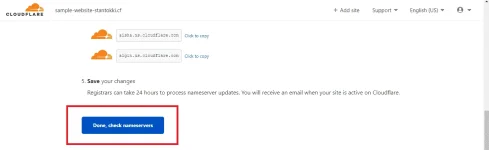
Go back TO CLOUDFLARE then click DONE, CHECK NAMESERVERS.
A QUICK START GUIDE will APPEAR
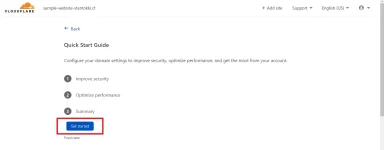
2. ENABLE ALWAYS USE HTTPS
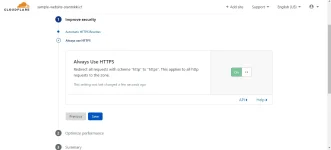
Then click SUMMARY, then FINISH.
GO TO SSL/ TLS, change FULL to FLEXIBLE.
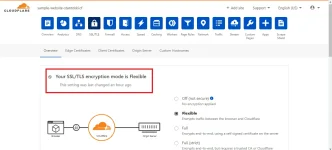
Then ur done!
EASY WAY to Create FREE Website - Free Domain and Hosting
https://phcorner.org/forums/world-wide-web.104/post-threadhttps://phcorner.org/threads/easy-way-to-create-free-website-free-domain-and-hosting.1042377/
Create FREE Website - Using Free Custom Domain from FREENOM
https://phcorner.org/forums/world-wide-web.104/post-threadhttps://phcorner.org/threads/create...-custom-domain-from-freenom-part-1-2.1044070/
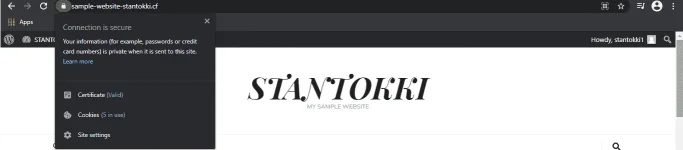
HOW TO HAVE THAT GREEN PADLOCK ON YOUR WEBSITE? (CONNECTION IS SECURE)
Having a green padlock (Green Bar) has become a mark of trust for websites. Totoo naman, auto exit ako minsan kapag NOT SECURE yung website. So yun, If gumamit ka ng PROFREEHOST, you can see na NOT SECURE yung nakalagay.
Parang ganto.

SIGN UP on CLOUDFLARE
(If you already have an account, just skip this process.)
Don't ADD SITE yet. Verify your email first.
Then ADD ur site.
Select the FREE one then CONTINUE.
After clicking CONTINUE, cloudflare will review your DNS RECORDS.
Scroll Down and click CONTINUE.
We need to change NAMESERVERS.
Go to your Go to your DOMAIN PROVIDER, on my case I used FREENOM. You need to LOG IN in order to change the NAMESERVER.
Click MANAGE DOMAIN - MANAGEMENT TOOLS - NAMESERVERS
REMOVE the NAMESERVER from PROFREEHOST then CHANGE it based on NAMESERVERS given by CLOUDFLARE.
It will show something like CHANGED SAVED SUCCESFULLY!
Go to YOUR WORDPRESS DASHBOARD.
How to GO TO YOUR WP DASHBOARD? Add /wp-admin on your domain.
PLUGINS then select ADD NEW.
Search for FLEXIBLE SSL, click INSTALL NOW, then ACTIVATE.
Go back TO CLOUDFLARE then click DONE, CHECK NAMESERVERS.
A QUICK START GUIDE will APPEAR
2. ENABLE ALWAYS USE HTTPS
Then click SUMMARY, then FINISH.
GO TO SSL/ TLS, change FULL to FLEXIBLE.
Then ur done!