 PH
PHHow to have that GREEN PADLOCK on your website?
https://phcorner.org/threads/how-to-have-that-green-padlock-on-your-website.1044140/
Create FREE Website - Free Domain and Hosting
Disclaimer lang po, hindi po ako professional so bare with me. If may kulang po sa tutorial feel free to correct and add additional info na lang po. Self study lang po ito with the help of YT and Google.

Go to:
You do not have permission to view the full content of this post. Log in or register now.
REGISTER ACCOUNT
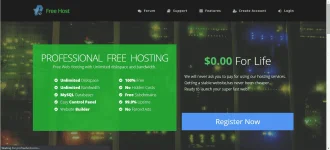
Click REGISTER NOW.
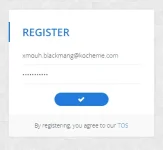
Enter your email and password. Do the captcha.
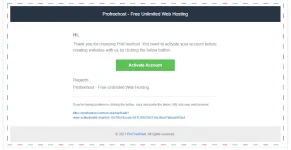
Activate your account!

Check your email, then click activate.

CREATE NEW ACCOUNT
Click create new account. You can add 3 account/ website.You can use 1. FREE DOMAIN or 2. CUSTOM DOMAIN
(If you have OWN DOMAIN, you can use it as long as you point your domain to the following NAME SERVERS PROVIDED)
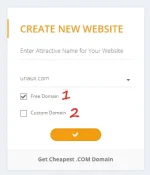
FOR CUSTOM DOMAIN NAME:
If you want to use custom domain from Freenom here's my tutorial.
(https://phcorner.org/threads/part-1...sing-free-custom-domain-from-freenom.1044070/)
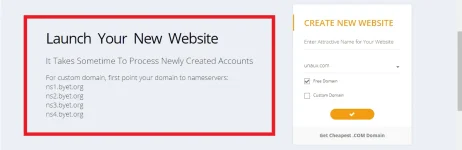
FOR FREE DOMAIN:
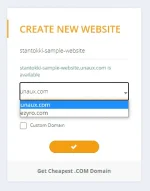
Enter your preferred name then choose between unaux.com or ezyro.com
Click the check button then answer the captcha.
Note: I tried to create on both something domain.
unaux.com - I got a problem with privacy certificate so I just created a ezyro.com
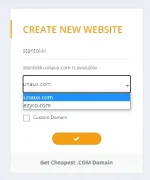
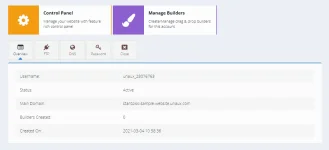
You will get something like this.

INSTALL WORDPRESS
This platform let's you build your website easily without programming and coding. Once we install WP, our website will now be LIVE on the INTERNET.
Click MANAGE, then go to CONTROL PANEL -Some POP-UP will appear just click I AGREE - Scroll Down - under SOFTWARE - Select APP INSTALLER
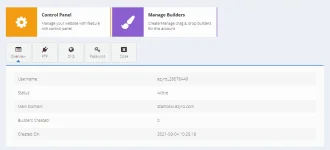
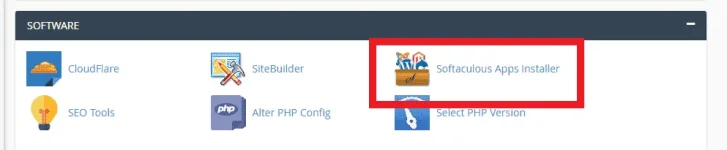
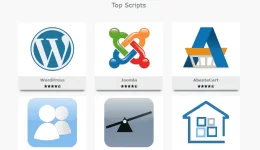
Hover the cursor around the WP Logo, then click INSTALL.
You will be redirected to a Page, just scroll down to ADMIN ACCOUNT.
Fill up ADMIN USERNAME and ADMIN PASSWORD
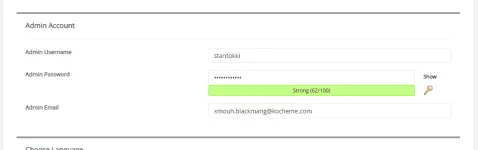
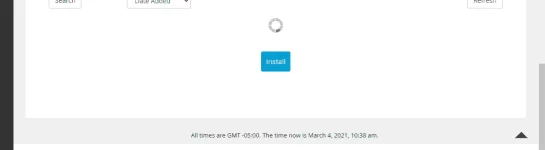
Scroll down, then click INSTALL.
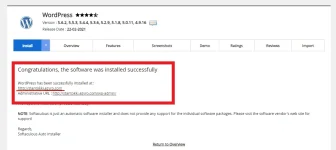
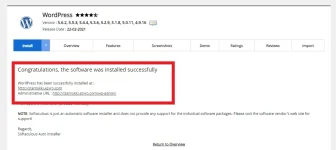
After installing, you will be provided 2 links, (1) Link to your website and (2) Admin URL to edit your website.
If you click the link to your website, this is how the website looks like.
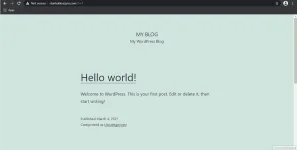
BUILDING OUR WEBSITE
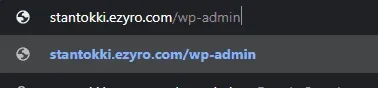
Add /wp-admin to your website link.
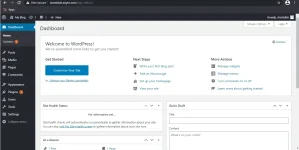
This is your WordPress Dashboard. Here you can customize your website.
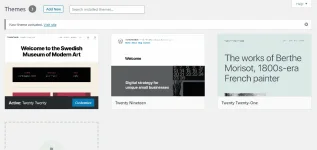
You can customize the theme of your website, just go to APPEARANCE - then select THEMES.
You can ADD NEW THEMES, or just select any INSTALLED THEME then click ACTIVATE.
CUSTOMIZE your chosen THEME.
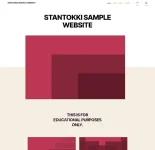
After customizing, eto na yung itsura ng website.

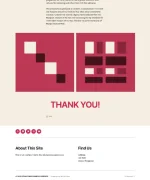
Explore na lang po WP madali lang naman intindihin, madami din silang magandang themes. If nagugulahan po kayo sa tutorial pasensya na po. If may nakalimutan ako, or if may mali feel free to correct po. Sana nakatulong ako! Good mornight!



 ...
...