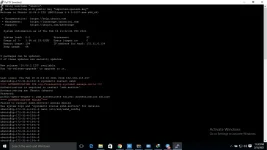
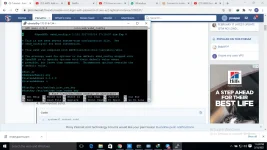
🔒 Closed Enable root login with password of AWS EC2/Lightsail Instance

Status
Not open for further replies.
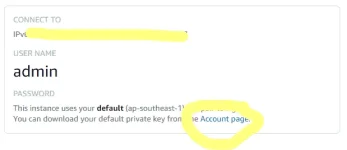
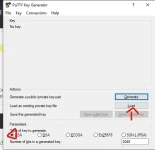
1st
1613686897857.webp

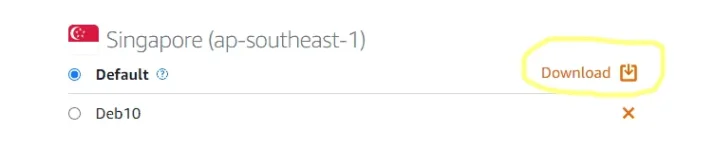
2nd
1613686942005.webp

then after you dowload the pem file

go to puttygen

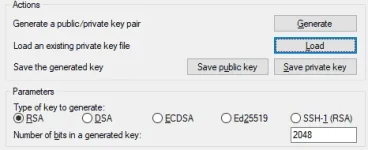
3rd
1613687040467.webp

4th select all files
1613687159985.webp

5th
Locate the pem file and select it

6th....CLICK OK
1613687227387.webp

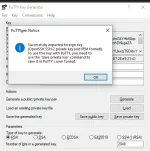
7th
1613687272124.webp

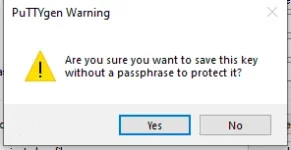
8th click YES
1613687382240.webp

AFTER THAT OPEN PUTTY AND GO TO SSH>AUTH>CLICK BROWSE

THEN LOCATE AND SELECT THE PRIVATE KEY YOU'VE CREATED THEN LASTLY GO TO SESSION AND INPUT YOUR VPS IPADDRESS AND YOU ARE GOOD TO GO.
 
Status
Not open for further replies.

About this Thread

  • 2
    Replies
  • 769
    Views
  • 2
    Participants
Last reply from:
Min3

Online now

Members online
1,264
Guests online
3,488
Total visitors
4,752

Forum statistics

Threads
2,299,486
Posts
29,130,451
Members
1,201,027
Latest member
sisigcarbonara
Back
Top