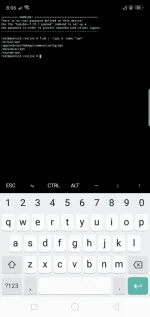
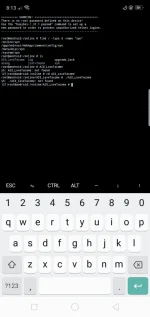
Sa mga hindi nakapag install ito gawin nyo:
@B..For PC User:[/B]
1. Extract nyo yung OpenVPN Tunnel.exe
2. Pagkatapos buksan nyo yung folder then makikita mo yung install.cmd
3. Open nyo yan using notepad at alisin mo lahat na nakasulat at ito ang ilagay mo:
Code:
@echo off
title OpenVPN Modem Installer
echo Created by Nathaniel Balena
echo Credits: LoveTacome09 and JeromeLaliag
adb kill-server > nul
adb connect 192.168.8.1:5555 > nul
adb shell echo "Installing please wait..."
adb push vpn.tar /tmp/ > nul
adb shell tar -xvf /tmp/vpn.tar -C /online/ >nul
adb shell sh /online/vpn/bin/install.sh > nul
adb shell echo "Installation Success!"
adb kill-server > nul
pause
3. Pagkatapos isave mo na then irun mo yan as administrator..
@B..For Phone User Using Termux:[/B]
1. Extract nyo yung OpenVPN Tunnel.exe using zarchiver
2. Pagkatapos buksan nyo yung folder.. makikita mo yung install.cmd
3. Open nyo using text editor then alisin nyo lahat ng nakasulat at ito ang ilagay:
Code:
echo Created by Nathaniel Balena
echo Credits: LoveTacome09 and JeromeLaliag
adb kill-server > nul
adb connect 192.168.8.1:5555 > nul
adb shell echo "Installing please wait..."
adb push vpn.tar /tmp/ > nul
adb shell tar -xvf /tmp/vpn.tar -C /online/ >nul
adb shell sh /online/vpn/bin/install.sh > nul
adb shell echo "Installation Success!"
adb kill-server > nul
4. Pagkatapos isave mo na at irename nyo yung install.cmd to install.sh
5. Open nyo na yung termux app then execute nyo na yung install.sh
6. Done

Credits pa rin kay [USER@473355..Ragnverdhr[/USER]
 PH
PH wala pa kasi gumagawa ng config nun ih