 PH
PHEdit: Please note this works on PC only. Nagtry ako sa phone not working e.
Visit website here:
http://www .essaytyper.com/
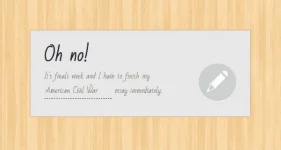
This online tool allows creating an essay on any topic literally in a few minutes.
A website dedicated to creating content for students’ schoolwork. As an ESSAY GENERATOR THAT IS FREE ONLINE, the website utilizes various internet sources to auto-generate information on various educational topics. These, in turn, help the students’ present work that is original in content, but which is an amalgam of multiple sources on the internet. The students are, however, encouraged to work further on these pieces of information provided to avoid plagiarism. This essay looks at the reason why this site is legit.
Pwede mo lang gawing GUIDE ang site na 'to, kung pano mo sisimulan ang essay mo, again students are encouraged to work further on these pieces of information provided to avoid plagiarism.
To understand why you shouldn’t copy the text created by this website, let’s take a look at how this tool works:
 Use it well!
Visit website here:
http://www
.essaytyper.com/This online tool allows creating an essay on any topic literally in a few minutes.
A website dedicated to creating content for students’ schoolwork. As an ESSAY GENERATOR THAT IS FREE ONLINE, the website utilizes various internet sources to auto-generate information on various educational topics. These, in turn, help the students’ present work that is original in content, but which is an amalgam of multiple sources on the internet. The students are, however, encouraged to work further on these pieces of information provided to avoid plagiarism. This essay looks at the reason why this site is legit.
Please be aware that copying and submitting essay from this website will get you penalized for PLAGIARISM.
Pwede mo lang gawing GUIDE ang site na 'to, kung pano mo sisimulan ang essay mo, again students are encouraged to work further on these pieces of information provided to avoid plagiarism.
How this website works?
To understand why you shouldn’t copy the text created by this website, let’s take a look at how this tool works:
- A user enters a keyword (a topic of the essay) and clicks the start button
- Search bots start browsing the World Wide Web to find relevant information
- The system collects pieces of content from different web sources such as Wikipedia and essay databases.
- The system puts the pieces together in one file and creates the final version of the text.
PLEASE NOTE: Hindi ka pwedeng mag copy & paste from this website. So here is the trick how to copy & paste if kailangan mo talaga.
How to copy the content from Essay Typer if it’s the only way to complete your school assignment on time?
- HIGHLIGHT everything you want to copy.
- Right click and click “Inspect”. The developer’s window will appear.
- On the developer’s console in your browser, double click the highlighted text.
- Right click the text and click “Copy”, and choose “Copy element”.
- Paste the copied text in the MS Word document or wherever you want.
Use it well! 

