PH
PH1. sign in to your account in google it must be a google mail account.
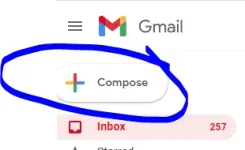
2. then from there click compose .
3. then start typing you email message.
4. Dont forget to put a subject in it and to: (this will be the email that will be receiving your email).
5. after putting subject, email recepient and body of message you can now send that.
6. and wait to see a notification or in sent items.
congratulations you can now email a new message.
Credits sa google mail.
2. then from there click compose .
3. then start typing you email message.
4. Dont forget to put a subject in it and to: (this will be the email that will be receiving your email).
5. after putting subject, email recepient and body of message you can now send that.
6. and wait to see a notification or in sent items.
congratulations you can now email a new message.
Credits sa google mail.