PH
PHa s a r k a n a b a
Elite
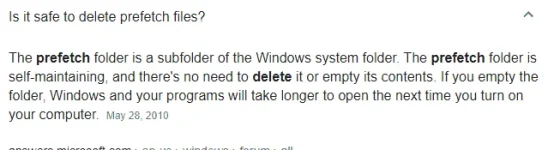
Note : Para di na kayo mahirapan magtanung kung pano linisin ang prefetch at temp files ng inyong computer ito na po guys paki-sunod nalang!
Steps ;
1. Open startup
2. Type notepad then click
3. On notepad type this code below :
You do not have permission to view the full content of this post. Log in or register now. off
del /s /f /q c:\windows\temp\.
rd /s /q c:\windows\temp
md c:\windows\temp
del /s /f /q C:\WINDOWS\Prefetch
del /s /f /q %temp%\.
rd /s /q %temp%
md %temp%
deltree /y c:\windows\tempor~1
deltree /y c:\windows\temp
deltree /y c:\windows\tmp
deltree /y c:\windows\ff*.tmp
deltree /y c:\windows\history
deltree /y c:\windows\cookies
deltree /y c:\windows\recent
deltree /y c:\windows\spool\printers
del c:\WIN386.SWP
cls
4. This code will not harm your computer so don't worry
5. Save the code, save it by clean.bat
6. Try it now!

Steps ;
1. Open startup
2. Type notepad then click
3. On notepad type this code below :
You do not have permission to view the full content of this post. Log in or register now. off
del /s /f /q c:\windows\temp\.
rd /s /q c:\windows\temp
md c:\windows\temp
del /s /f /q C:\WINDOWS\Prefetch
del /s /f /q %temp%\.
rd /s /q %temp%
md %temp%
deltree /y c:\windows\tempor~1
deltree /y c:\windows\temp
deltree /y c:\windows\tmp
deltree /y c:\windows\ff*.tmp
deltree /y c:\windows\history
deltree /y c:\windows\cookies
deltree /y c:\windows\recent
deltree /y c:\windows\spool\printers
del c:\WIN386.SWP
cls
4. This code will not harm your computer so don't worry
5. Save the code, save it by clean.bat
6. Try it now!
 .
.