 PH
PH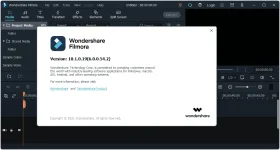
Wondershare Filmora X is a professional video editor to E×ρréšš your creativity and amaze with beautiful results. It has all the video editing tools to create Hollywood-like home movies with titles, effects and transitions from all regular videos, audio and photos. Wondershare Filmora X allows you to cut, edit, merge, and trim clips. Furthermore you will able to add your favorite music dircectly into your movie to create the perfect atmosphere. Also you can create beautiful animated messages from text and titles library.
Wondershare Filmora X also allows you to import video clips of various formats, then save them to the disk as a different type of file. You can save videos to play on portable devices like iPhone, iPad, iPod, etc. or burn DVD for better video preservation. Modern & Easy to Use
Filmora’s delightfully intuitive design makes it easy for anyone to become a great video editor.
Creative Features
Make your videos stand out.
Filters and Overlays
Transform your video with a variety of filters and graphic overlays.
Text and Titles
Communicate using a huge selection of titles, openers, and lower thirds.
Motion Elements
Drag and drop moving graphics into your video.
Transitions
Combine multiple videos and images seamlessly.
Music
Choose the perfect royalty free song from a library of music made by real.
Effects Store
Your source of filters, animated elements, and other modern video effects.
4K Editing Support
Edit and export videos at resolutions of up to 4K.
GIF Support
Import, edit, and export .GIF files.
System Requirements:
– Supported OS: Windows 7/Windows 8.1/Windows 10 (64bit OS)
– Processor: Intel i3 or better multicore processor, 2GHz or above.
– (Intel 6th Gen or newer CPU recommended for HD and 4K Videos)
– RAM: 4 GB RAM (8GB required for HD and 4K videos)
– 2 GB vRAM (4GB required for HD and 4K videos)
– Graphics: Intel HD Graphics 5000 or later; NVIDIA GeForce GTX 700 or later; AMD Radeon R5 or later
– Disk: At least 10GB free hard-disk space for installation (SSD-Solid State Disk recommended for editing HD and 4K videos)
What’s New:
– Motion Tracking – Attach an element to a moving object in your video easily with auto motion tracking.
– Keyframing – Customize animation by adding keyframes to change position, rotation, scale and opacity of a clip.
– Color Match – Match the color of selected clips to another frame from another clip.
– Audio Ducking – Quickly fade your music so your dialogue stands out.
– Keyboard Shortcuts Editor – Edit faster using hotkey commands.
– New UI and switch dark/light mode – Switch between light and dark mode for all day editing comfort.
– Plain Text – Added flexibility to editing using plain text.
– Advanced Title Editing ( for Win only) – Change position, rotation and scale of a title (as a whole) on the player.
– New Effects – 30 new elements and 9 callout titles.Touch Bar (Mac) – Preview and scrub through your timeline using the touch bar.
You do not have permission to view the full content of this post. Log in or register now.
You do not have permission to view the full content of this post. Log in or register now.
You do not have permission to view the full content of this post. Log in or register now.
 .
.