PH
PHMoshiemochi
Forum Master
How to pass your device verdict on your devices
Requirements:
Magisk App
- You do not have permission to view the full content of this post. Log in or register now.
- You do not have permission to view the full content of this post. Log in or register now.
- Magisk Alpha
- You do not have permission to view the full content of this post. Log in or register now.
- Shamiko
- You do not have permission to view the full content of this post. Log in or register now. (Optional)
- You do not have permission to view the full content of this post. Log in or register now. (Optional)
- You do not have permission to view the full content of this post. Log in or register now. (Optional)
- Lsposed Zygisk
Lsposed Zygisk Module App
- You do not have permission to view the full content of this post. Log in or register now.
- You do not have permission to view the full content of this post. Log in or register now.
Tutorial here:
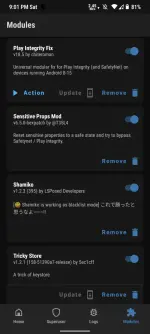
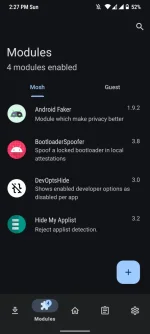
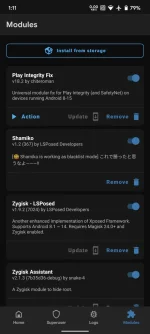
Step 1: Flash all the essentials Magisk Modules Playintegrityfix, Shamiko, Zygisk Assistant (Optional), TrickyStore , Zygisk Next (Optional) , Lsposed Zygisk
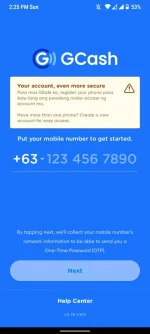
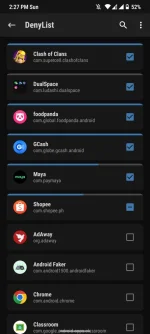
Step 2: Enable Zygisk (i-off nyo lang 'yung zygisk sa settings kung gagamit kayo ng zygisk next) and Configure Denylist on magisk app and then check the app that you want to hide root status E.g Gcash, Maya, GoTyme etc. Note: do not enable enfore Deny List if you're using Magisk official and Magisk Delta, but if you're using Magisk Kitsune just enable Su List on settings and only select the app that you want to give root permission.
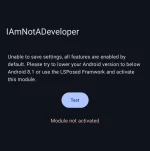
Step 3: Installing all the lsposed module applications IamNotADeveloper, HideMyApplist then reboot your device
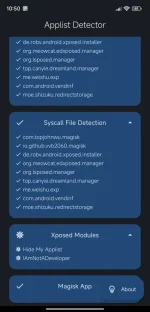
Step 4: Configuring Hide My Applist lsposed module you can find the tutorial here > How to use HideMyApplist
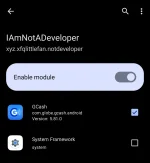
Step 5: Configuring iamnotadeveloper (gagamitin nyo lang ito kapag naka-on ang developers option nyo para ma-hide ang bootloader status sa desired applications) go to lsposed app makikita nyo ang lsposed app sa notification panel click lsposed is running then click the puzzle icon when you're in overview page of lsposed app now select the iamnotadeveloper module then check all of the banking apps that you wish to hide developer options, close and save and then open the iamnotadeveloper app then check the hide developer options.
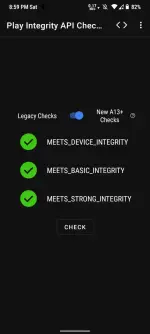
Step 6: Configuring Trickystore, first you need a unrevoked keybox file inorder to pass the strong integrity, you can find one on telegram. To install your unrevoked keybox you can place it here: /data/adb/tricky_store and look for keybox.xml
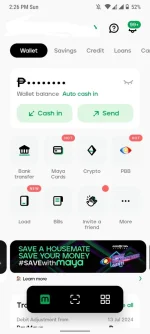
After n'yong magawa lahat ng steps just simply reboot your device then open your banking apps then test it if mag-o-open na.
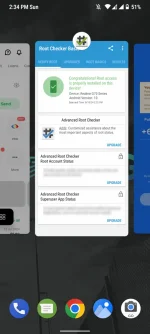
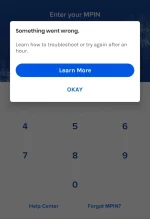
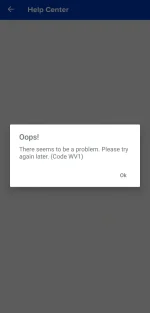
Results: