 PH
PHUPDATE: 9/3/25 ( STILL WORKING )
SAMSUNG TV ADDED
POWERED BY: CONTR0LD FULLC0NTR0L

[ HANGGA'T OPEN ANG THREAD ACTIVE PA ANG PLAN ]
[ ADBLOCK ONLY ]
FOR
| YOUTUBE | MOBILE APPS | BROWSER |
ANDROID | WINDOWS PC | IOS | MODEM\ROUTER | GOOGLE CHROME | SAMSUNG TV |
------------------------------------------------
Dahil sa krisis at kakunatan ng Youtube Premium
ito muna gamitin nyo alternatibo't mabisa
------------------------------------------------
------------------------------------------------
For Android:
Go to your phone’s “Settings”
Search “Private DNS”
Tap on “Private DNS”
Choose “Private DNS provider hostname”
14k97pez55d.dns.controld.com
or download CONTROLD sa Playstore at ilagay ito as Resolver: 14k97pez55d
------------------------------------------------
------------------------------------------------
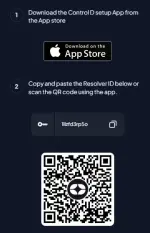
For IOS:
Resolver ID: 1llzfd3rp5o
------------------------------------------------
------------------------------------------------
FOR WINDOWS:
You do not have permission to view the full content of this post. Log in or register now.
Copy the Resolver ID paste it into the utility app and press Configure.
Resolver ID:
wfw50qz6ko
------------------------------------------------
-----------------------------------------------
SAMSUNG TV:
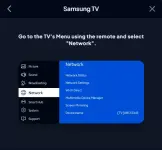
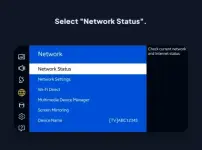
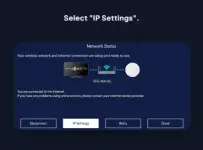
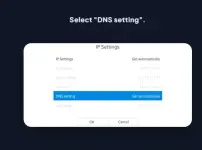
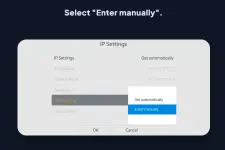
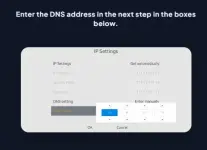
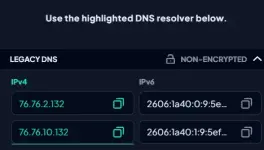
76.76.2.132
76.76.10.132
-------------------------------------------------
------------------------------------------------
FOR ROUTER/MODEM:
1. Go to Router Portal log in as admin
2. im using TPLINK AX1500 Gigabit Router
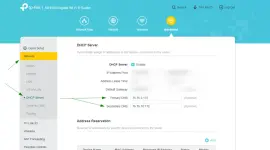
3. After "Save" Restart Router
4. Then go to You do not have permission to view the full content of this post. Log in or register now. Click " Extend Test "
5. Kapag ganito na result goods na yan
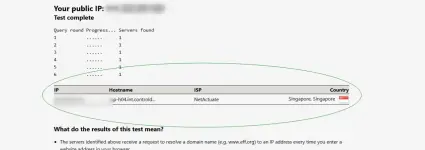
6. Lahat ng nakakonek sa router na yan no need na mag setup automatic na po yan mobile,pc,laptop etc. Tested ko na po ito bago ko i update
FOR GOOGLE CHROME:
1. Go to “Settings” in the top right
2. Click on “Privacy and Security”
3.Click on “Security”
4. Under “Advanced”, enable “Encrypt the names of sites you visit” . Select “Add custom DNS service provider” from the Select DNS Provider dropdown.
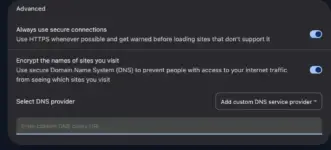
5. Use the highlighted DNS resolver below.
You do not have permission to view the full content of this post. Log in or register now.
FEEDBACK KUNG NAKATULONG SA INYO

