 PH
PHFeatures of MCT Tool?
● Choose the correct model
● Select the method you wanted
● Device must be at Qualcomm HS-USB Qloader 9008
● Connect the device to the computer
● Click the Perform JOB button
• Double-click the setup file to disable antivirus.
• Run the loader file without protection to ρá†ch the MCT Tool.
• Click the start button and wait for confirmation.
• Run the main MCT Tool file with admin permission on the desktop.
• Open the tool and click the "Login" button to execute it.
Download Link:
You do not have permission to view the full content of this post. Log in or register now.
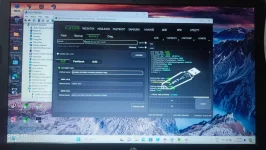
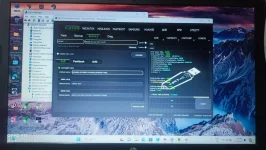
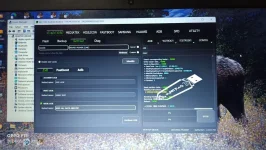
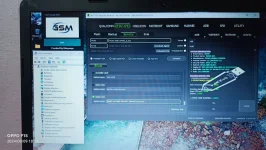
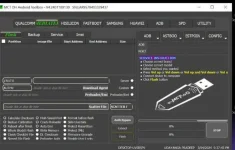
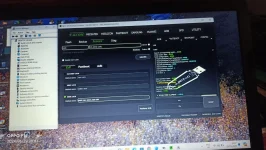
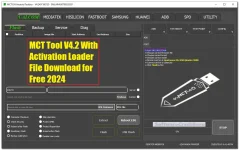
Qualcomm [Flash]
- Calculate Checksum
- Check Security
- Reboot after finish
- RawBinary Flash
- Backup Calibration
- Skip Userdata
- Protect IMEI
- Protect Repartition
- Erase before flash
- Disable User Locks
- Extract Reboot EDL
- Flash
- HW Flash
FLASH INSTRUCTION
- Choose the correct firmware file
- Choose a correct brand
Choose the correct model
- Device must be at Qualcomm HS-USB Qloader 9008
- Connect the device to the computer
- Click the Flash button
Qualcomm [Backup]
- Calculate Checksum
- Readback as ZIP file
- Skip Userdata
- Compressed backup-dir
- Reboot after finish
- Format
- Erase
- Write
- Reboot
- Read GPT
- Read XML
- Reboot EDL
- Read EMMC
BACKUP INSTRUCTION
- Choose a correct brand
- Choose the correct model
- Device must be at Qualcomm HS-USB Qloader 9008
- Connect the device to the computer
- Click the Read GPT button
Qualcomm [Service]
Disable User Lock
SERVICE INSTRUCTION
● Choose a correct brand● Choose the correct model
● Select the method you wanted
● Device must be at Qualcomm HS-USB Qloader 9008
● Connect the device to the computer
● Click the Perform JOB button
Qualcomm [Diag]
- Read | Write QCN
- Baseband Fix
- IMEI Repair
DIAG INSTRUCTION
- Choose a correct brand
- Choose the correct model
- Device must be at Qualcomm HS-USB Diag mode
- Connect the device to the computer
- Click the Baseband Fix button
MediaTek [Flash]
- Calculate Checksum
- Back Calibration
- Reboot after finish
- Whole BlockO Flash
- Check Checklni File
- Signed File Flash
- High-Speed Port Format before Flash
- Crash Preloader Skip Userdata
- Auto Emi
- Write Memory
- DL Checksum
- Preloader Auth
- Protect Repartition
- Firmware ade
- Disable Userlock
- Auth Bypass
- Extract
- Flash
SERVICE INSTRUCTION
- Choose a correct brand
- Choose the correct model
- Select the method you wanted
- Press Vol up or Vol down or Vol up and Vol down or Vol up, Vol down and Power button
- Connect the device to the computer
- Click the Flash button
MCT Tool Installation Process
• Download the setup file from a link provided.• Double-click the setup file to disable antivirus.
• Run the loader file without protection to ρá†ch the MCT Tool.
• Click the start button and wait for confirmation.
• Run the main MCT Tool file with admin permission on the desktop.
• Open the tool and click the "Login" button to execute it.
Download Link:
You do not have permission to view the full content of this post. Log in or register now.
