PH
PH
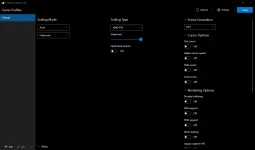
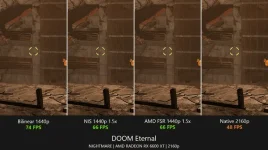
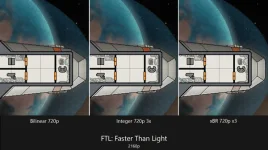
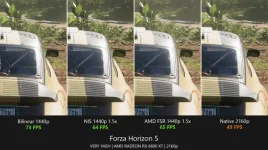
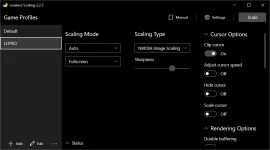
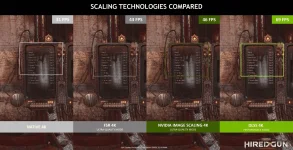
Lossless Scaling lets you upscale windowed games to full screen using state-of-the-art spatial scaling algorithms, sharpening algorithms and machine learning.
Scaling algorithms are currently presented:
- LS1
- AMD FidelityFX Super Resolution (AMD FSR)
- NVIDIA Image Scaling (NIS)
- Integer Scaling
- Nearest Neighbor
- xBR
- Anime4K
- Sharp Bilinear
- Bicubic CAS
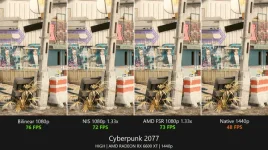
Lossless Scaling is useful for upscaling modern games if you cannot run them at native screen resolution (GPU limited) and want to get rid of blur due to bilinear scaling of the GPU driver, as well as for upscaling older and pixel-art games which do not support modern screen resolutions or full screen mode.
For modern games, it is best to use LS1, AMD FSR, NIS or even nearest neighbor scaling (if you need a non-demanding type of scaling), while integer scaling or xBR is best for upscaling pixel-art games.
The benefits of using modern spatial scaling algorithms such as LS1, AMD FSR or NIS depend on your GPU and target resolution. You need to make sure that the game you want to upscale is GPU limited and that the GPU needs less resources to upscale the image than to render the game at native screen resolution.
Program requirements:
- The game must be running in windowed mode.
- Windows 10 1903 or newer (app may work on earlier versions with restrictions)
Tutorial How to use Lossless Scaling to Improve Game Performance:
You do not have permission to view the full content of this post. Log in or register now.
Official Steam Application:
Download Links:
2.5.0.1
You do not have permission to view the full content of this post. Log in or register now.
2.5.0.2
You do not have permission to view the full content of this post. Log in or register now.