PH
PHPHC- Naksu
Elite

How to Get Office 2024
It took me a few minutes to figure out that I had to go to the Services & Subscriptions section on my Microsoft Account page and scroll down two full screens to the list of product purchases to download the software. There, you will find an install button. Alternatively, you can return to where you purchased the license to download via an install button.For installation, you can choose the default option (this installed 32-bit Office on my 64-bit You do not have permission to view the full content of this post. Log in or register now. system), specify a 32- or 64-bit installer, or opt for a 5GB disk image for offline installations. I tried the offline installer out of curiosity but found that it didn't actually use the software on the desk image since my system was online. However you install it, You do not have permission to view the full content of this post. Log in or register now. will appear on your system if it isn’t already there.
What's It Like to Use Office 2024?
If you use You do not have permission to view the full content of this post. Log in or register now., the previous standalone version, then Office 2024 won’t present any big surprises. The new apps just have more consistent interfaces that better complement Windows 11. They default to the “Use system setting” option, which means they will match either the light or dark theme for your operating system. If you want, you can switch to the Colorful choice to add a splash of style.If you’re content with the 2021 version, then the new features in 2024 probably won't convince you to upgrade. And, as far as I can tell, all the new features in Office 2024 are already available to Microsoft 365 subscribers.
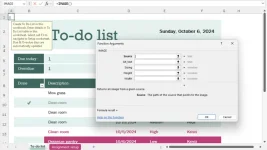
Among the updates are support for the latest OpenDocument format (ODF 1.4), a change that adds compatibility with LibreOffice and other non-Microsoft apps. In terms of collaboration, you can now use a Like button to show approval of other people’s comments across the apps. Excel adds dynamic charts that automatically update when an array changes size and recalculates, unlike traditional charts that are linked only to data points that existed when you created the chart. Excel also lets you add images to worksheets via copy/paste or a new Image function, as well as gets new text manipulation functions. Word gains the existing Office 365 feature that automatically reopens documents after Windows or Word shuts down unexpectedly. However, not all the Office 365 features are part of the LTSC versions; you need to drill down into Microsoft’s You do not have permission to view the full content of this post. Log in or register now. for more details.
Word, Excel, and PowerPoint Remain Excellent
As mentioned, the apps you get with an Office 2024 license are the same as those with a Microsoft 365 subscription. We cover all those apps more fully in You do not have permission to view the full content of this post. Log in or register now., but highlight just a few findings about the main ones here.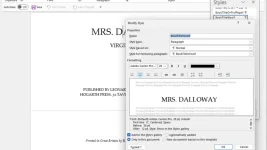
Word is the world’s most powerful word processor. It doesn’t quite have the same graphic razzle-dazzle as Apple’s Pages, but it does come with drawing tools and well-designed, color-coordinated themes. You can insert pictures into Word (and also Excel and PowerPoint) directly from an Android phone, just as iPhone users can insert photos directly into Apple’s Pages, Numbers, and Keynote apps.
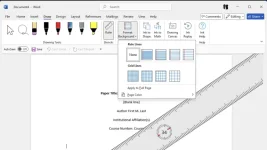
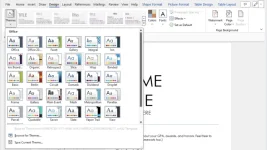
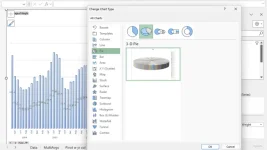
Excel has always been the colossus of spreadsheet apps, and it continues to increase its lead over rivals. Apple’s Numbers spreadsheet has a unique design that lets you create multiple tables on a single sheet and the most helpful and attractive interface for entering data, but it works on only Apple's hardware and isn't nearly as powerful. Keep in mind that the Windows version of Excel offers features that aren’t in the macOS version. For example, you can't create a column of full names simply by typing a name from a first-name column followed by a name from a last-name column, then moving down one cell and starting to type the next name.
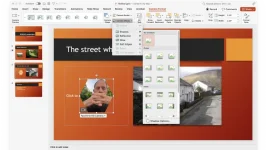
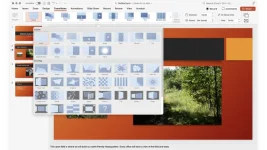
PowerPoint is basically the same as it was in previous versions, but you can now use the Insert Cameo feature to add a live camera feed to a slide and record a presentation or slide with a feature called Recording Studio. PowerPoint’s only rival is Apple’s Keynote, but anyone who uses Word or Excel will prefer PowerPoint’s familiar interface, just as anyone who uses Apple’s Pages or Numbers will prefer Keynote.
CTTO on screenshots above
Download Links Here
You do not have permission to view the full content of this post. Log in or register now.
You do not have permission to view the full content of this post. Log in or register now.
You do not have permission to view the full content of this post. Log in or register now.
You do not have permission to view the full content of this post. Log in or register now.
You do not have permission to view the full content of this post. Log in or register now.
You may also check this Link for Office 2021