 PH
PHHello, basically I'm here to share with you guys how to watch anime in 4k using MPV player, and shaders made by You do not have permission to view the full content of this post.
Log in or register now..
In a nutshell, This can make even 480p anime look 1080p or so. The shaders use some of your GPU so the higher GPU the more fluid motions it will be (depending on the fps).
Sadly this does not work properly to others, only on 2D animations, but you are free to see for yourself if it works for others like Movies.
I have a whole folder of fully set up MPV player and shaders that will make it easier to use. Download it below, or If you want to set up everything yourself here are the You do not have permission to view the full content of this post. Log in or register now..
But if you don't know how to set up, Download Below
Hotkeys to toggle the shaders are
Here is my video using it on 720p Anime, Nazo no Kanojo X Season 1 Full (Ova Included)
View attachment bandicam 2022-03-09 20-55-15-379.mp4
Disclaimer I do not own this application or tool I'm just here to share it but you're free to support the original owner. The tool/application working capability and other issues depends on keeping the repository alive by the author.
In a nutshell, This can make even 480p anime look 1080p or so. The shaders use some of your GPU so the higher GPU the more fluid motions it will be (depending on the fps).
Sadly this does not work properly to others, only on 2D animations, but you are free to see for yourself if it works for others like Movies.
I have a whole folder of fully set up MPV player and shaders that will make it easier to use. Download it below, or If you want to set up everything yourself here are the You do not have permission to view the full content of this post. Log in or register now..
But if you don't know how to set up, Download Below
| Download Link for High End GPU |
| Download Link for Low End GPU |
Hotkeys to toggle the shaders are
| Ctrl+1 | |
| Ctrl+2 | |
| Ctrl+3 | |
| Ctrl+4 | |
| Ctrl+5 | |
| Ctrl+6 | |
| Ctrl+0 for default |
Here is my video using it on 720p Anime, Nazo no Kanojo X Season 1 Full (Ova Included)
View attachment bandicam 2022-03-09 20-55-15-379.mp4
Spoiler contents are visible only to Established Members.
Disclaimer I do not own this application or tool I'm just here to share it but you're free to support the original owner. The tool/application working capability and other issues depends on keeping the repository alive by the author.
 pero in my eyes it fine but not that big of a difference. Overall 8/10 etong set if hilig mo tlaga mag-geek out sa Anime T0rrent related stuff.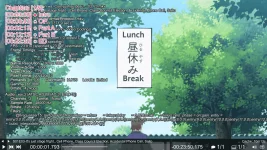
![MPV Logo [Remake].webp](https://data.phcorner.org/attachments/8583/8583466-2a788b0d8ec9902b54862673357c03a2.jpg?hash=-RwC6Pkmhy "MPV Logo [Remake].webp")