PH
PHrainych_ran
Contributor
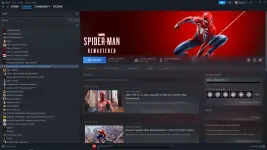
Why this matters: Steam manifest files trick Steam into thinking you own games. These files (200+ games worth) get imported via SteamTools and added to your library. You’re not cracking anything—you’re feeding Steam its own file format. Might include GTA games buried in there (file names don’t make it obvious). Free games, zero payment, just file manipulation.
One-Line Flow: Download pack → Extract files → Use SteamTools → Import manifests/lua → Restart Steam → Games appear in library
What You're Actually Getting
The pack includes:- Steam manifest files (200+ games)
- .lua files for SteamTools
- Ready to import into Steam via You do not have permission to view the full content of this post. Log in or register now.
The GTA situation: Files were seen in the folder before, but naming is unclear. Can’t guarantee which GTA titles (if any) are actually there. You’ll find out after importing.
Translation: 200+ games might appear in your library. Could include AAA titles. Could be shovelware. You won’t know until you try.
Download Links (Choose One)
Google Drive:You do not have permission to view the full content of this post. Log in or register now.
Devuploads (Mirror):
You do not have permission to view the full content of this post. Log in or register now.
Pick whichever loads faster for you.
How to Import (Step-by-Step for Beginners)
What you need:- You do not have permission to view the full content of this post. Log in or register now. (free download below)
- WinRAR or 7-Zip (to extract files)
- Steam installed
You do not have permission to view the full content of this post. Log in or register now.
Steps:
- Download the pack from Google Drive or Devuploads (above)
- Extract it using WinRAR or 7-Zip (right-click → Extract)
- Install You do not have permission to view the full content of this post. Log in or register now. (run installer, click through)
- Open SteamTools (should see main interface)
- Import manifest + .lua files
- Look for “Import” or “Add Games” button in SteamTools
- Select the extracted files from the pack
- Let it process (might take a minute)
- Restart Steam
- Close Steam completely
- Reopen it
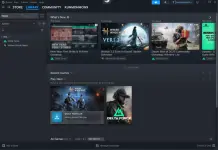
- Check your library → should see new games
About the GTA Games (Reality Check)
What was claimed: GTA games might be in the folderThe reality:
File names aren’t labeled clearly as “GTA V” or “GTA San Andreas”
Uploader hasn’t personally tested which GTA titles (if any) are included
You’ll only know after importing and checking your library
If you find GTA inside: You got lucky. Enjoy.
If you don’t: You still got 200+ other games for free, so stop complaining.
Note : if you don't see the import file just drag all files to the icon that floating on the screen