PH
PHPaano ba mag-import ng cookies gamit ang EditThisCookie extension?
1. Mag-install ng EditThisCookie extension.
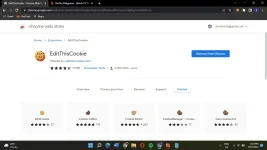
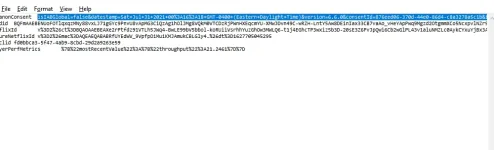
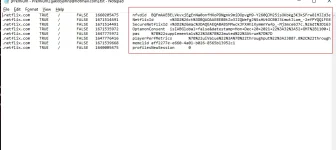
2. Extract mo yung cookies using RAR apps.
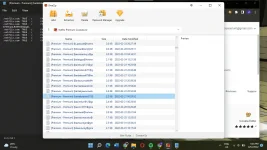
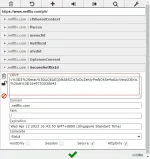
3. Punta ka NF website, tapos click mo yung extension. Change mo yung value sa pamamagitan ng pag-Copy and paste mo sa value (mula sa extracted cookies) na indicated sa bawat isang label (memclid, nfvdid, etc.)
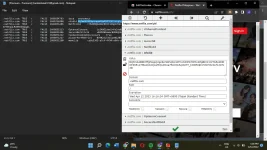
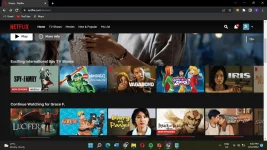
4. After mo ma-edit at paste lahat, click mo yung green check. Reload the page, at ayan enjoy na sa panonood. (Extract ka na lang ibang cookies if iba language. Wag pong i-log out, change cookies lang haha)

For the nf cookies:
https://phcorner.org/threads/netflicks-prem-cookies.1338563/
EDIT: Ito vid tutorial para sa naguguluhan
You do not have permission to view the full content of this post. Log in or register now.
1. Mag-install ng EditThisCookie extension.
2. Extract mo yung cookies using RAR apps.
3. Punta ka NF website, tapos click mo yung extension. Change mo yung value sa pamamagitan ng pag-Copy and paste mo sa value (mula sa extracted cookies) na indicated sa bawat isang label (memclid, nfvdid, etc.)
4. After mo ma-edit at paste lahat, click mo yung green check. Reload the page, at ayan enjoy na sa panonood. (Extract ka na lang ibang cookies if iba language. Wag pong i-log out, change cookies lang haha)
For the nf cookies:
https://phcorner.org/threads/netflicks-prem-cookies.1338563/
EDIT: Ito vid tutorial para sa naguguluhan
You do not have permission to view the full content of this post. Log in or register now.