 PH
PHMagandang araw, mga lodi!
Here is a complete step-by-step guide on how to set up and use Teleparty Premium so we can watch movies and series together with perfectly synchronized video playback and live chat!
What is Teleparty Premium?Teleparty (formerly Netflix Party) synchronizes video playback across major streaming platforms including Netflix, Hulu, Disney+, HBO, and Amazon Prime Video.
Key Features:
Step 1: Install the Extension
Rules & Guidelines:
Here is a complete step-by-step guide on how to set up and use Teleparty Premium so we can watch movies and series together with perfectly synchronized video playback and live chat!
What is Teleparty Premium?Teleparty (formerly Netflix Party) synchronizes video playback across major streaming platforms including Netflix, Hulu, Disney+, HBO, and Amazon Prime Video.
Key Features:
- Up to 1,000 Watchers: A single watch party link can host up to 1,000 viewers simultaneously.
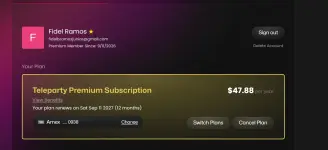
- 4-Device Login Limit: One Teleparty Premium account can be logged into up to 4 devices at the same time.
- Multi-Platform Support: Syncs content across Netflix, Disney+, HBO, Hulu, and Amazon Prime.
- Real-Time Interactive Chat: Chat with everyone, customize user profiles, and send reactions while watching.
Step 1: Install the Extension
- Open Google Chrome, Microsoft Edge, or Opera on your PC/Laptop.
- Visit the Web Store for your browser and search for Teleparty.
- Click Add to Extension to install it.
- Click the puzzle icon at the top right of your browser toolbar.
- Click the pin icon next to Teleparty so the TP button is always visible.
- Make sure you are logged into the required streaming platform (e.g., Netflix, Disney+) on your browser.
- Click the Watch Party Link shared below.
- Once the video page opens, click the red TP icon in your browser toolbar to enter the room and join the synchronized stream and chat!
You do not have permission to view the full content of this post. Log in or register now.
- Device Limit: Strictly up to 4 device logins per account. If you cannot log into the account, just use the Watch Party Link directly.
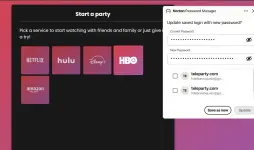
- Account Protection: Do not attempt to change the password or account settings.
- Drop a "Thanks / React" and comment down below if you joined the watch party! Enjoy the stream!