PH
PHvasquez061993
Journeyman
1. Download Termux sa playstore
2. E activate ang SSh and Telnet sa Link na ito:
You do not have permission to view the full content of this post. Log in or register now.
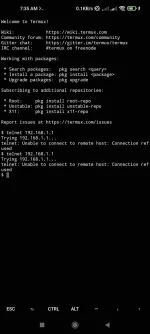
3. Open the app and type telnet 192.168.1.1
Hihingi ng PLDT user at password
User : root
Password: root123
4. Then type: “nvram show 0” zero yan

 Scrool up
5. hanapin ang “http_passwd= Admin password moh“
6. Pwedi ka nang mag log in as superadmin sa pldt device gamit ang password na katumbas ng http_passwd
Your welcome
2. E activate ang SSh and Telnet sa Link na ito:
You do not have permission to view the full content of this post. Log in or register now.
3. Open the app and type telnet 192.168.1.1
Hihingi ng PLDT user at password
User : root
Password: root123
4. Then type: “nvram show 0” zero yan
Scrool up 5. hanapin ang “http_passwd= Admin password moh“
6. Pwedi ka nang mag log in as superadmin sa pldt device gamit ang password na katumbas ng http_passwd
Your welcome